








byeWatch
A pocket watch that is also an instrument panel
One pocket watch holds ten instruments: astronomical, chronograph, world time, stopwatch, sunrise & sunset, compass, barometer & altimeter, metal detector, pedometer and counter. The pedometer and the counter are iPhone only. You work it with the crown and the pushers at 11, 1 and 3 o'clock rather than on-screen buttons, and a swipe up below the watch shows the same readings as digits. Magnetic declination is computed without an internet connection. Basic instrument calculations stay on the device; the optional iOS weather feature sends coordinates to Apple WeatherKit.


Ten instruments
Turn the crown and they come round in order. Reorder or hide them in settings.
Astronomical
Moon age and libration are drawn, and the sun and moon cross the sky at the altitude and hour angle they really hold that day. A solar eclipse shows up while it lasts. The sub-dials read the zodiac, the moon age and a 24-hour scale.
Chronograph
Sub-dials of 60 seconds, 12 hours and 30 minutes, with a window in the upper dial where the movement actually turns. Shake the phone and the rotor swings, winding the mainspring.
World Time
Turn the city drum to pick a city. You get its local time, date and weekday along with the UTC offset.
Stopwatch
Times to a tenth of a second. Press lap and the split times stack up on the drum.
Sunrise & Sunset
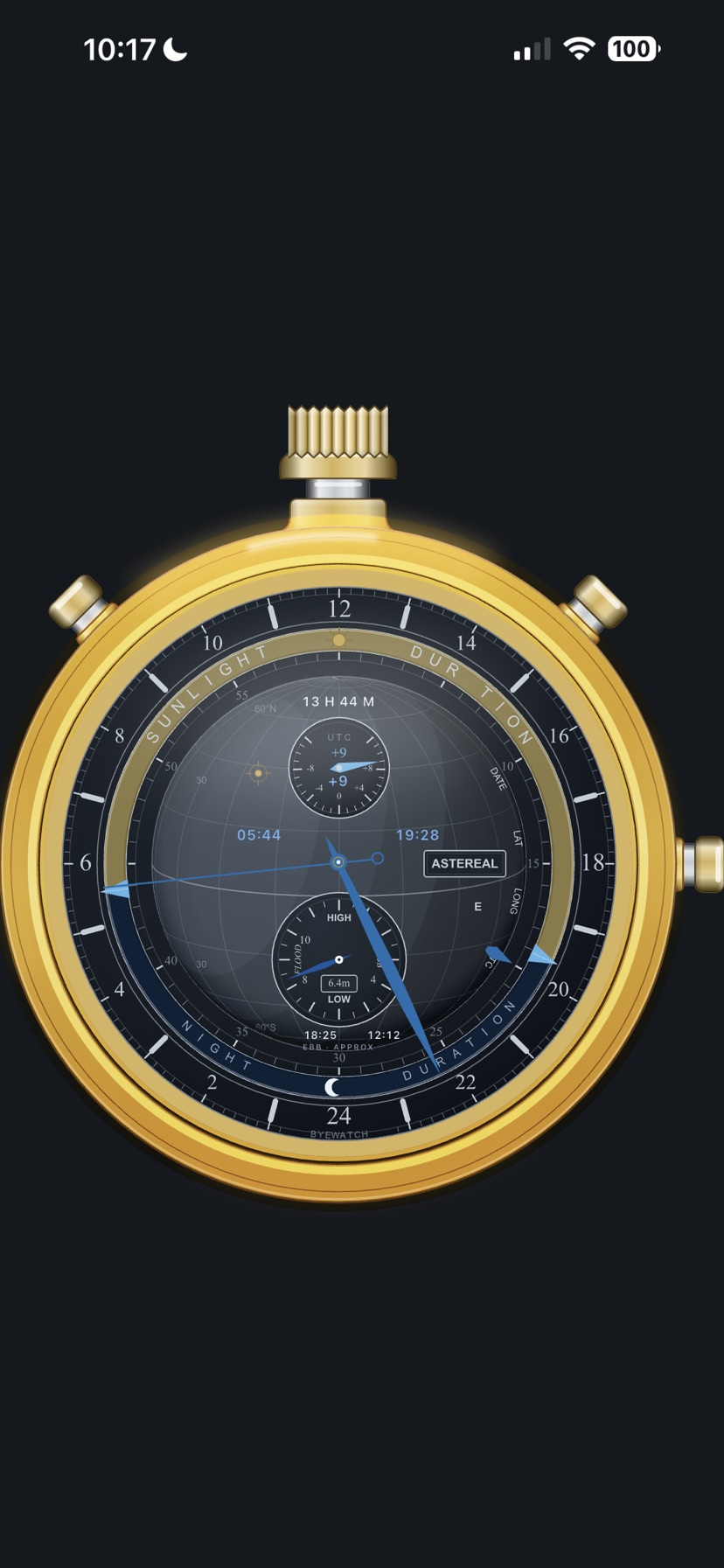
Today's rise and set times, with a globe shaded on the side the sun is lighting right now. Swipe on to the night face and the digital face for a 24-hour sun elevation graph and an approximate tide curve.
Compass
It points at true north, not magnetic north. The WMM 2025 coefficients are bundled in the app, so the declination is worked out from your position and the date with no internet connection.
Barometer & Altimeter
Pressure on two scales, hPa and mmHg, with a red hand showing whether it is rising or falling. The drum gives the barometric altitude as a number.
Metal Detector
The magnetometer picks up nearby magnetic anomalies and reports a proximity index. It reads relative strength; it does not measure distance.
Pedometer iPhone only
The main hand shows steps per minute while the drums carry the step count and calories. Distance, floors climbed and active time are counted alongside. iPhone only — Android has no equivalent step-counting hardware, so it does not join the cycle there.
Counter iPhone only
A hand tally counter. 11 o'clock subtracts, 1 o'clock adds, 3 o'clock resets, and a four-digit drum rolls up to 9,999. Counts per hour and a bar for every ten minutes come with it. iPhone only.
A look around
Three ways to read it: the watch face, the panel beneath it, and the digital mode
1. Watch faces
Turn the crown left or right and the ten dials come round in order. Case, dial, index style and hand shapes are all yours to choose, and the colours shift to a night palette once the sun goes down.
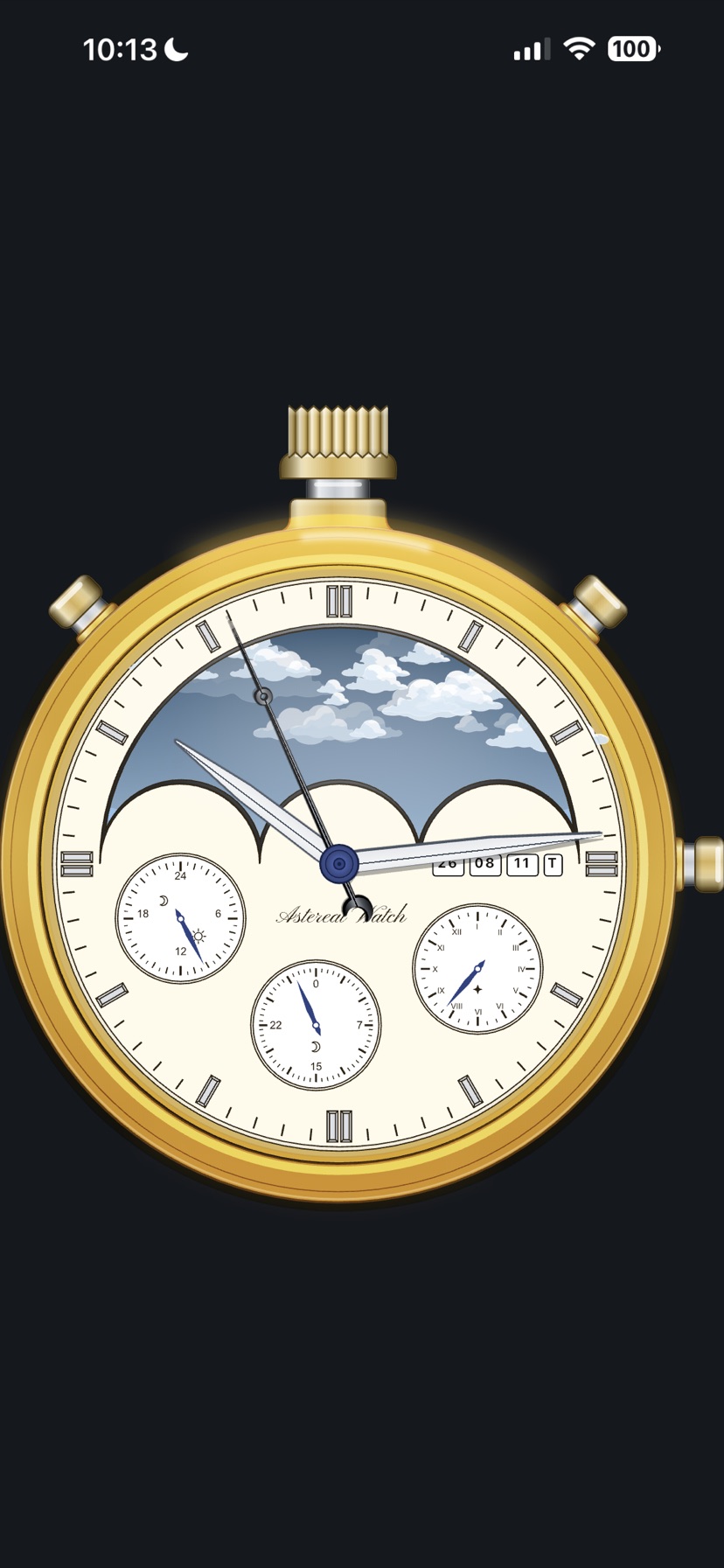
Astronomical
The sky in the window turns with the hour. The sun and moon ride the arc they really take from where you are today.
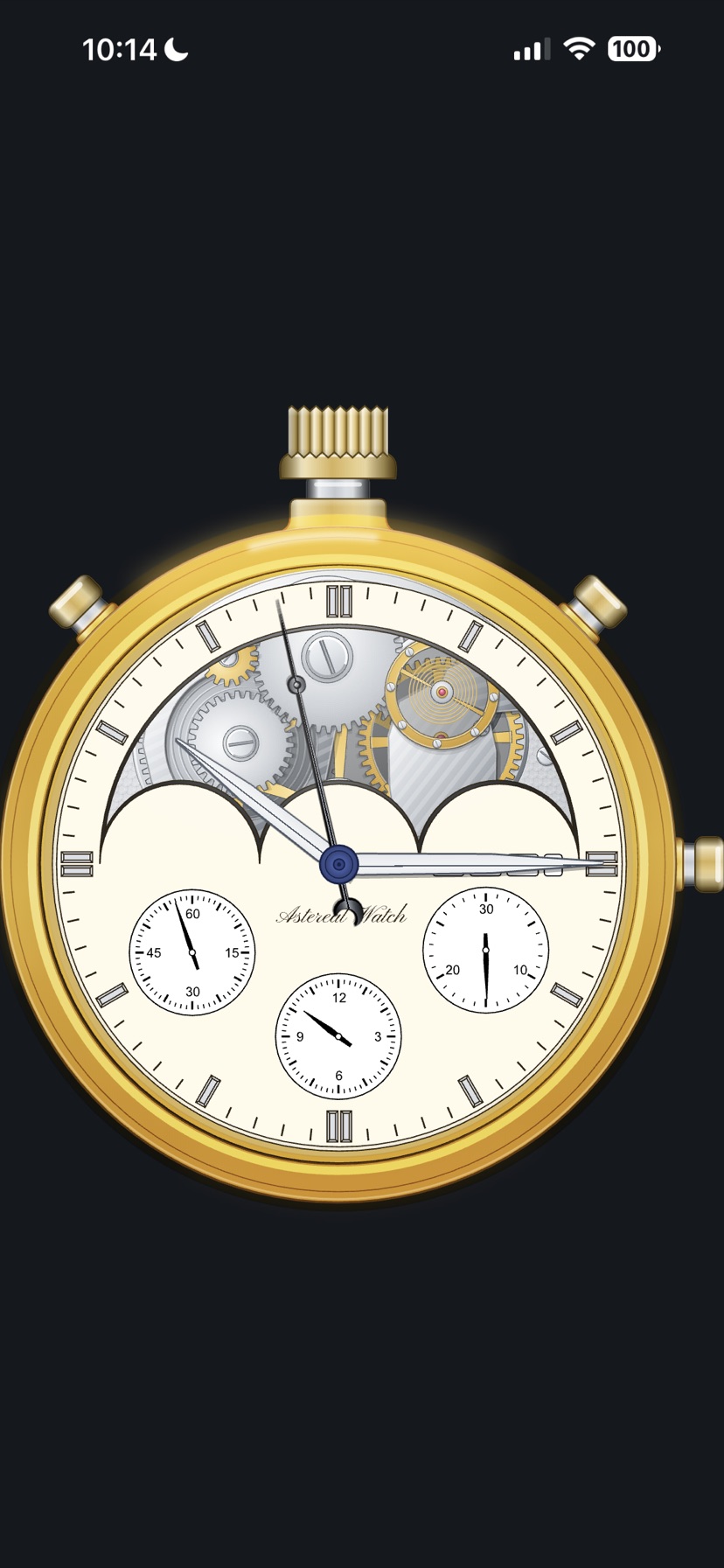
Chronograph
The movement shows through the window. The wheels mesh and turn, and shaking the phone winds the mainspring.
Smoother with a gyroscope and accelerometer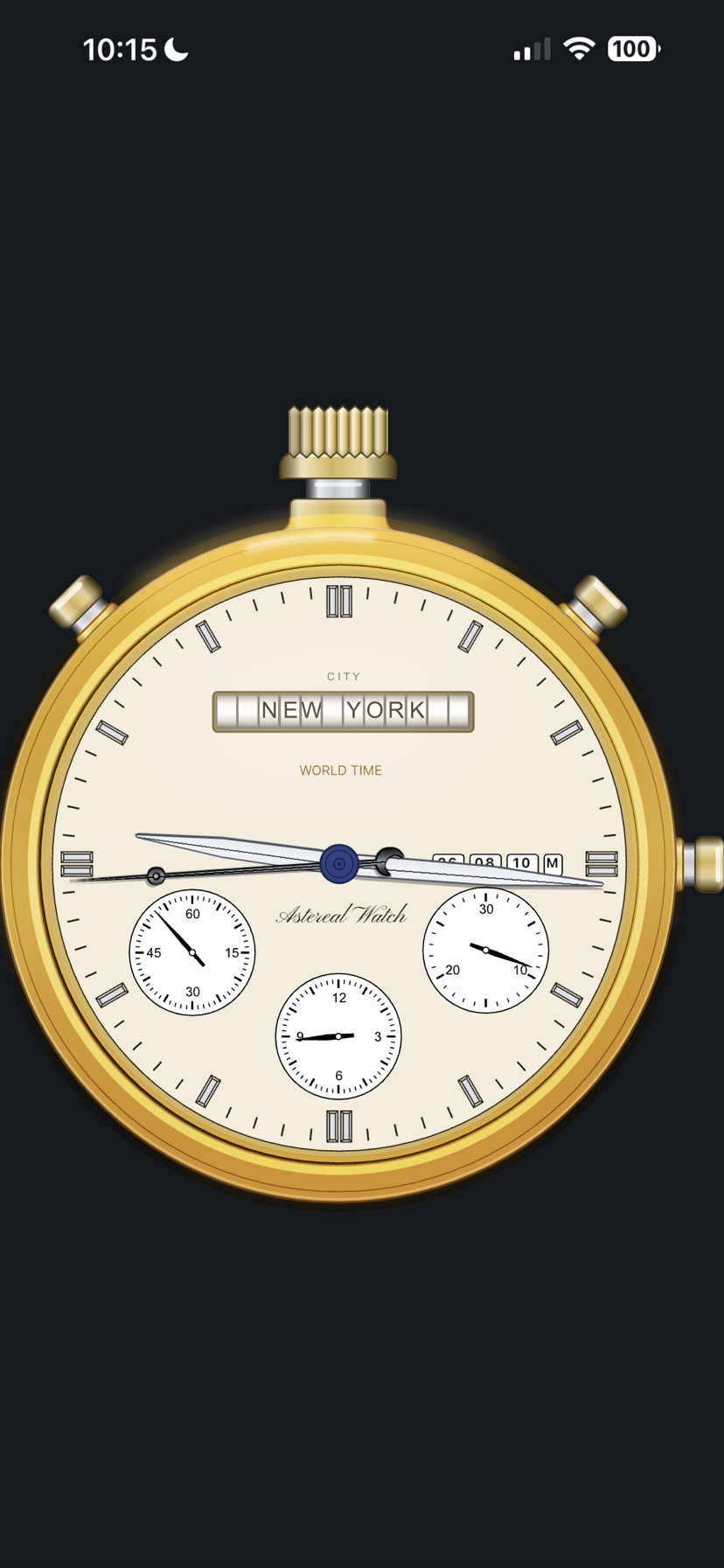
World Time
The pushers at 11 and 1 step through the cities. The name rolls round on the drum.
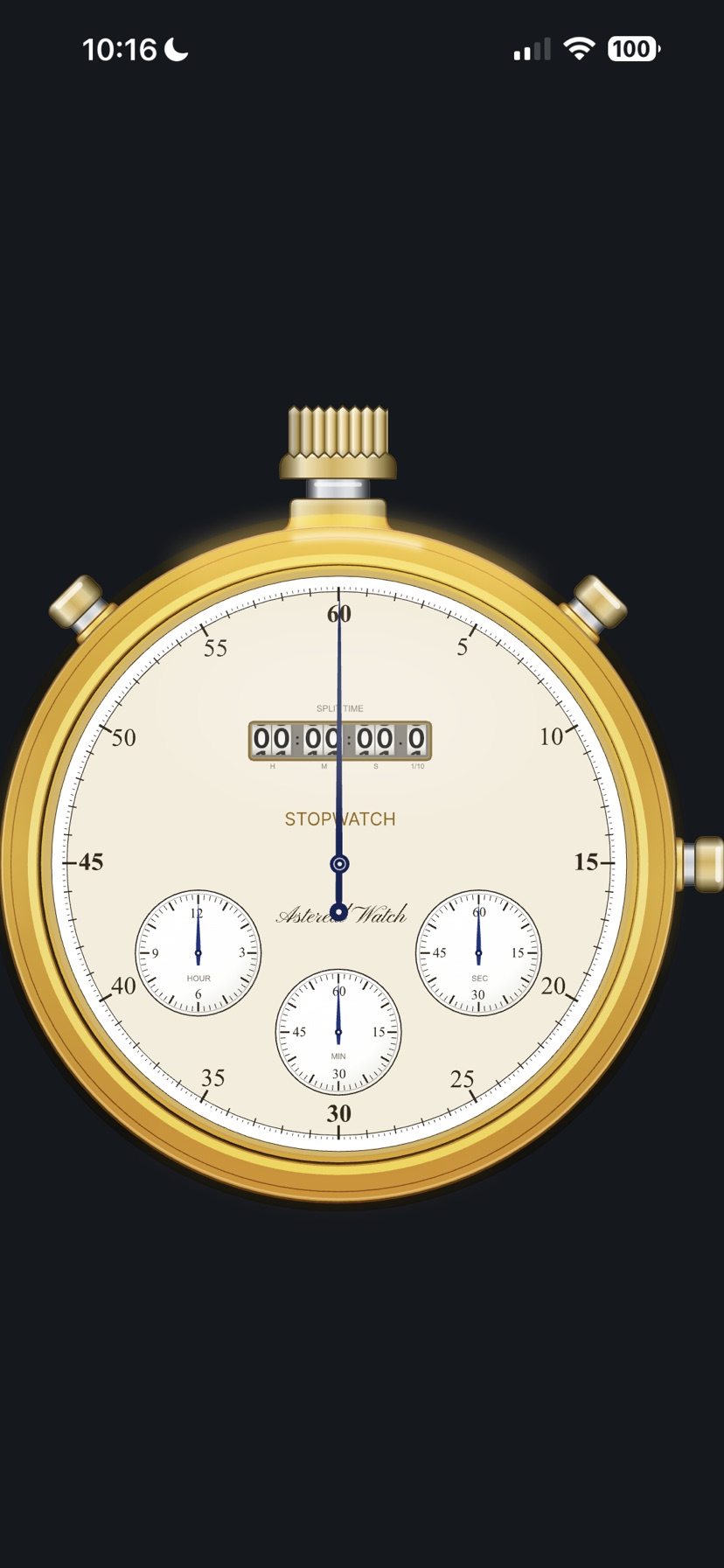
Stopwatch
Elapsed time sits in the middle window; hours, minutes and seconds are split across the sub-dials.
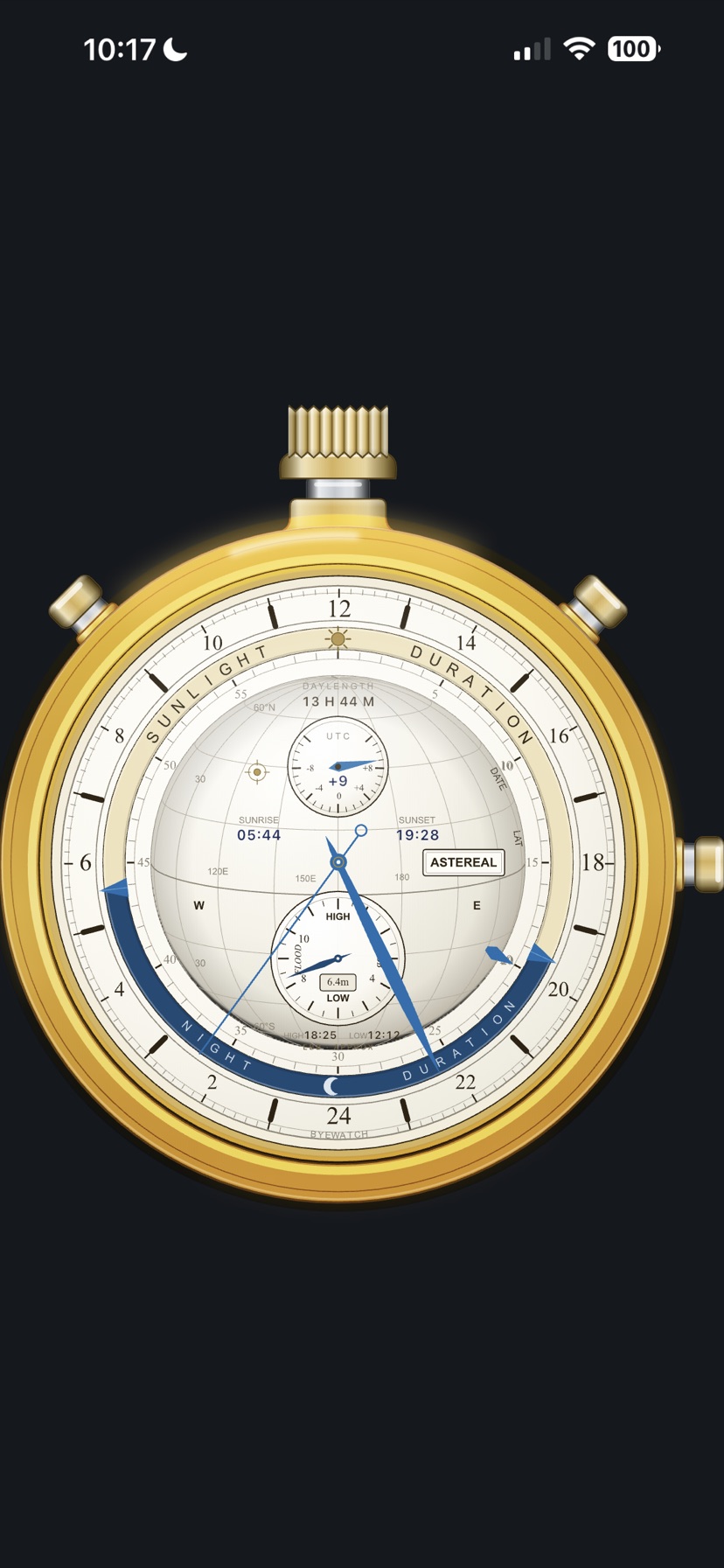
Sunrise & Sunset
The globe is lit on the side the sun reaches right now, seen from where you are standing.
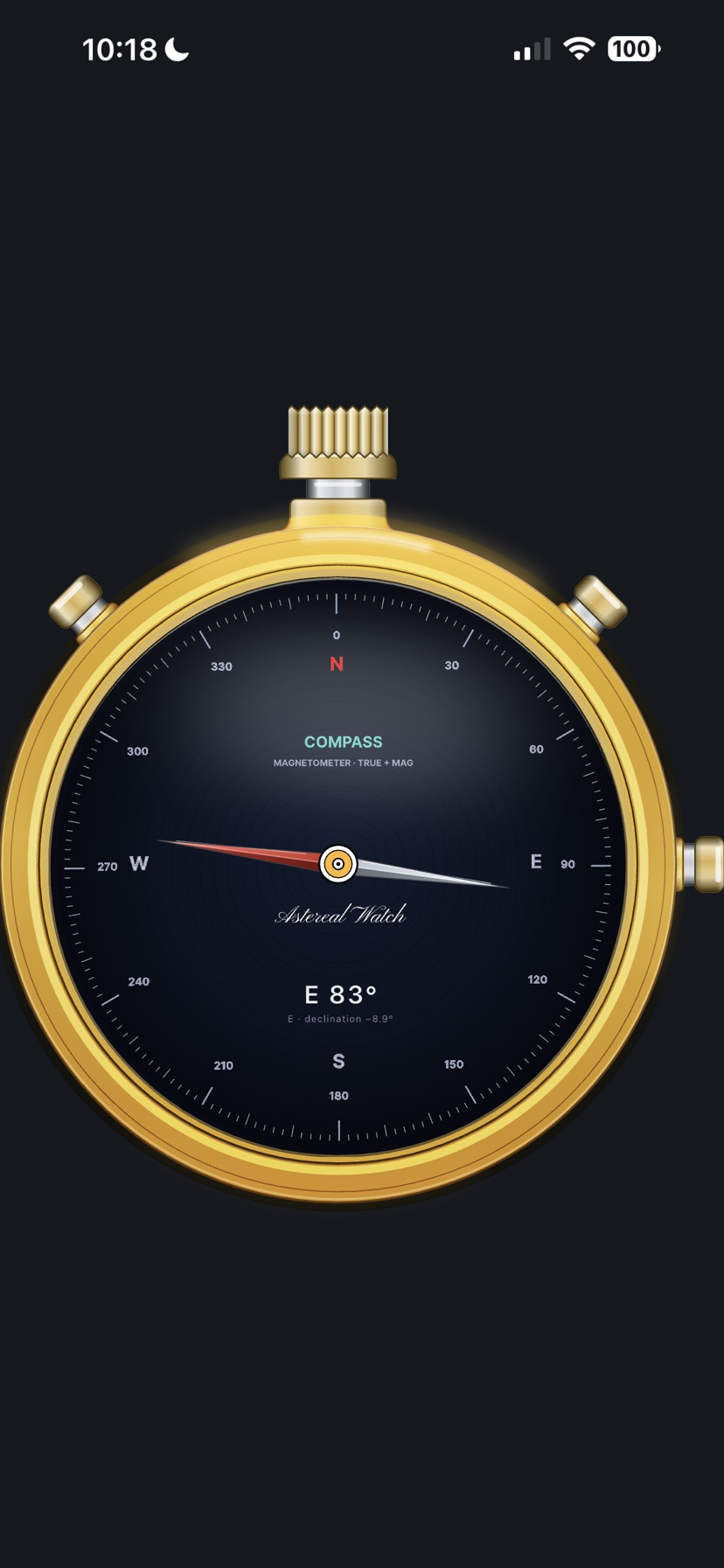
Compass
The needle points at true north, with the bearing and the declination written underneath.
Needs a magnetometer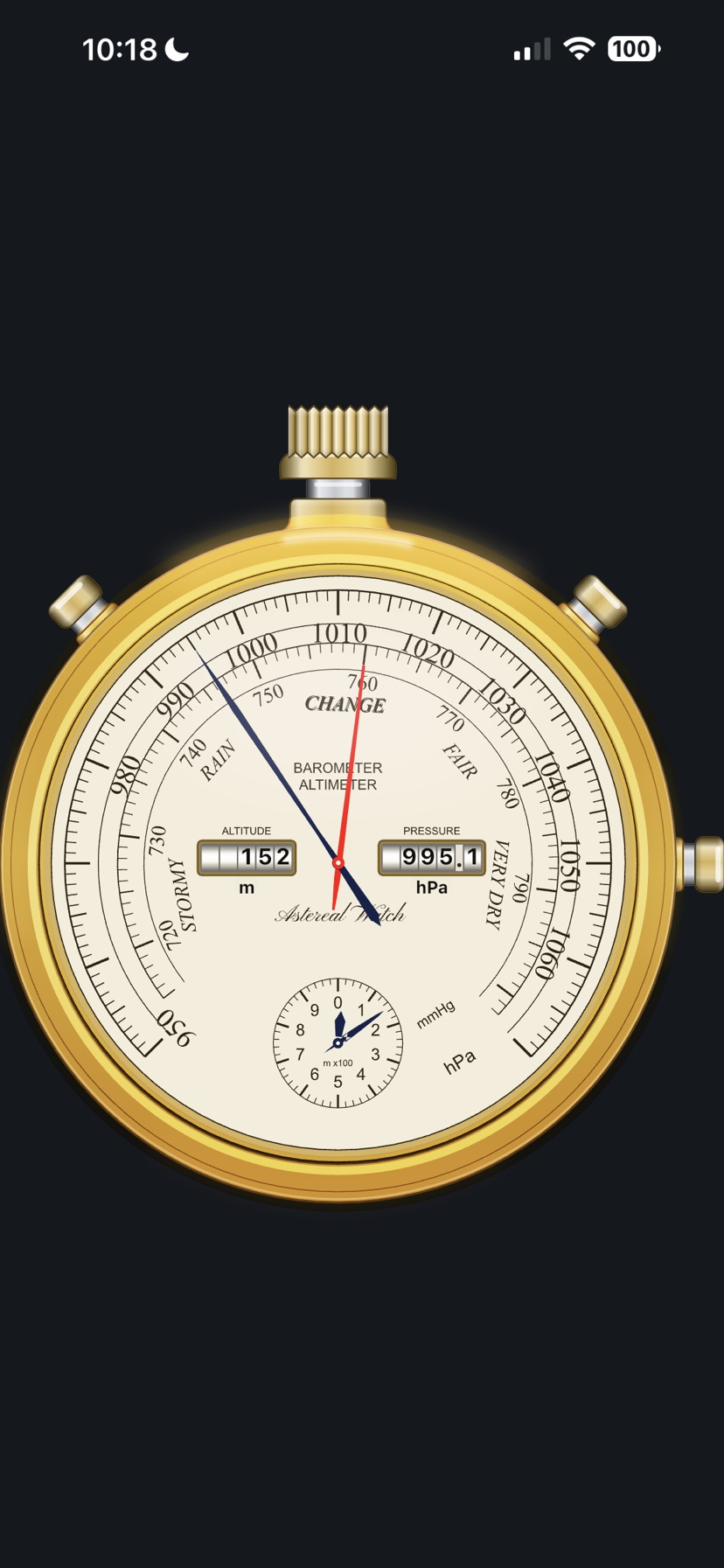
Barometer & Altimeter
The outer scale is hPa, the inner one mmHg. Altitude and pressure are printed on the drums.
Needs a pressure sensor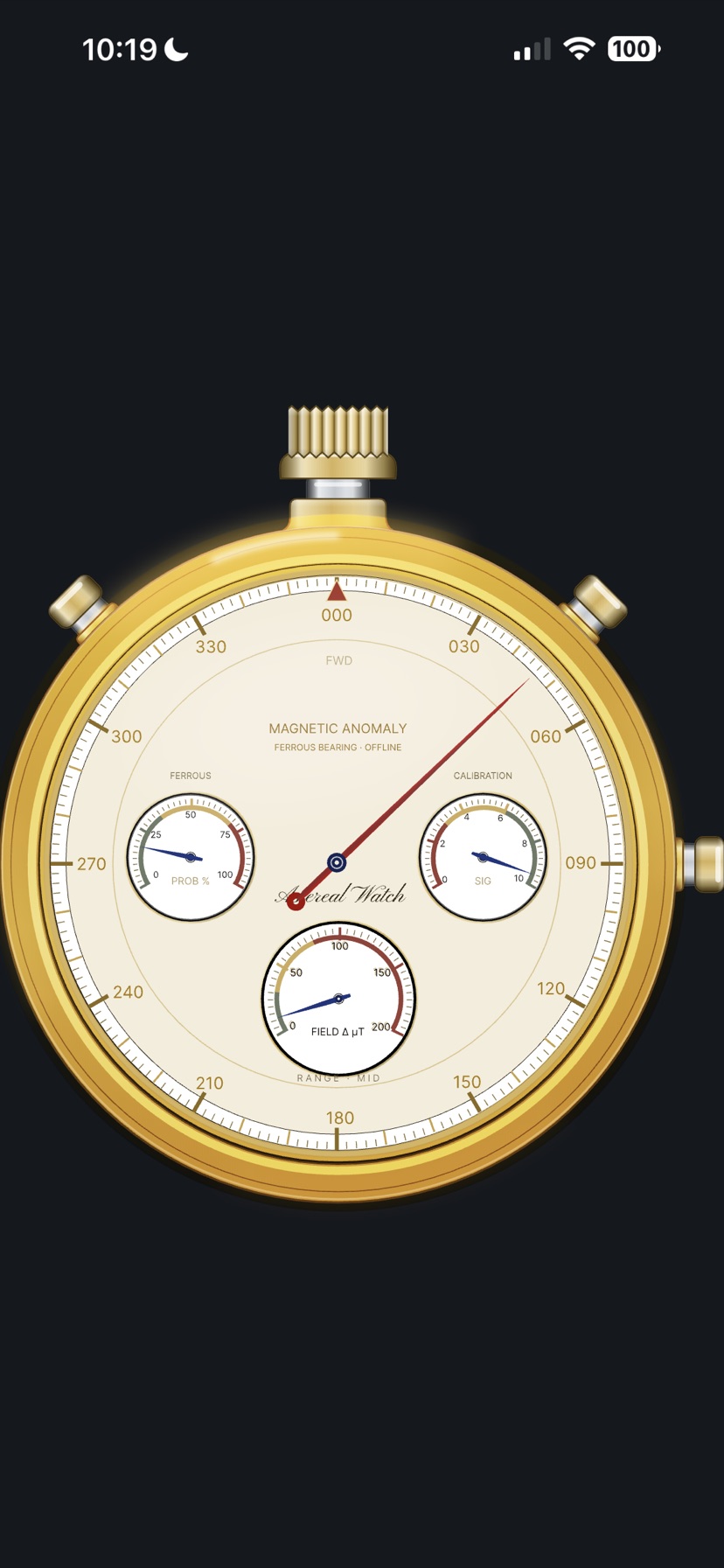
Metal Detector
The bearing of the anomaly goes to the main hand, its strength to the sub-dials.
Needs a magnetometer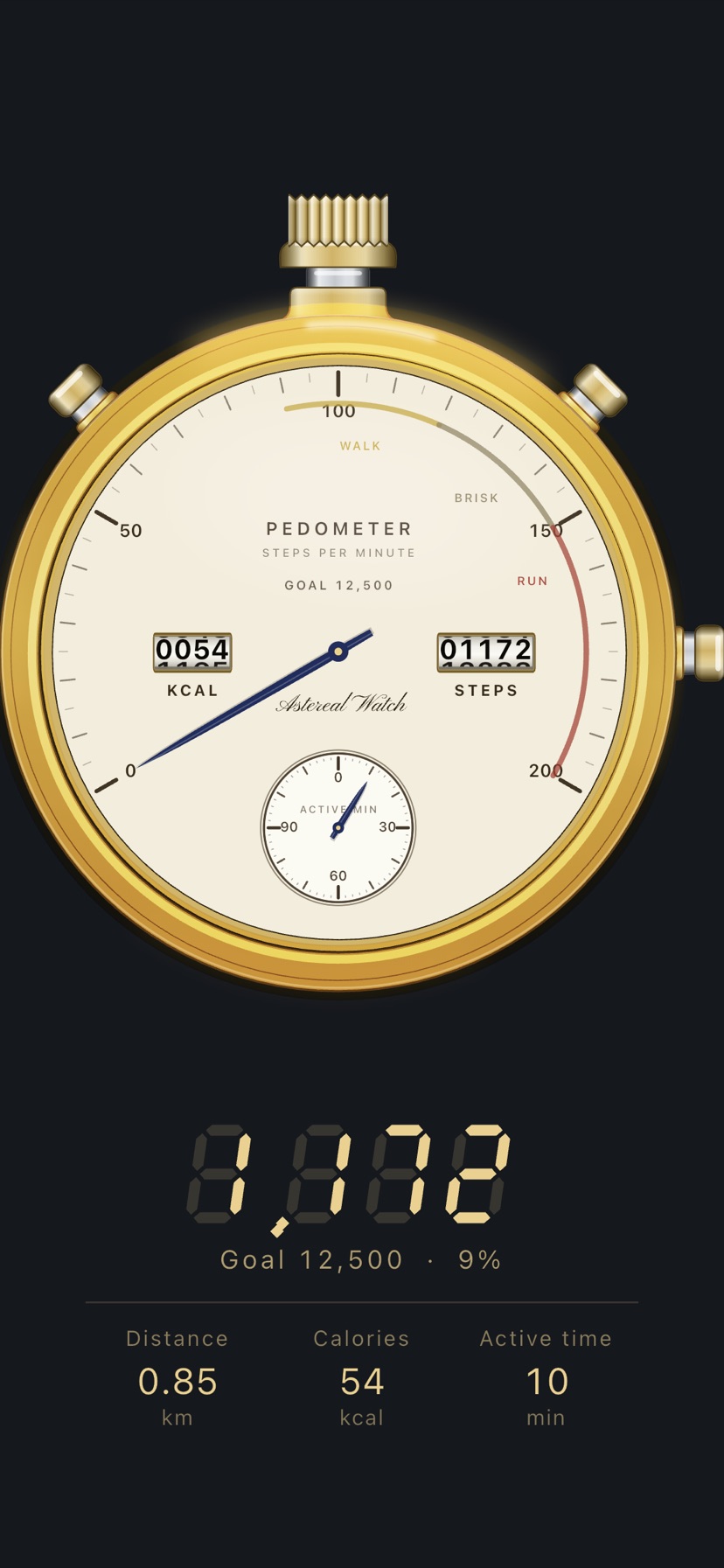
Pedometer
The main hand shows steps per minute; the drums carry the step count and calories. The pusher at 3 starts a fresh count from zero.
iPhone only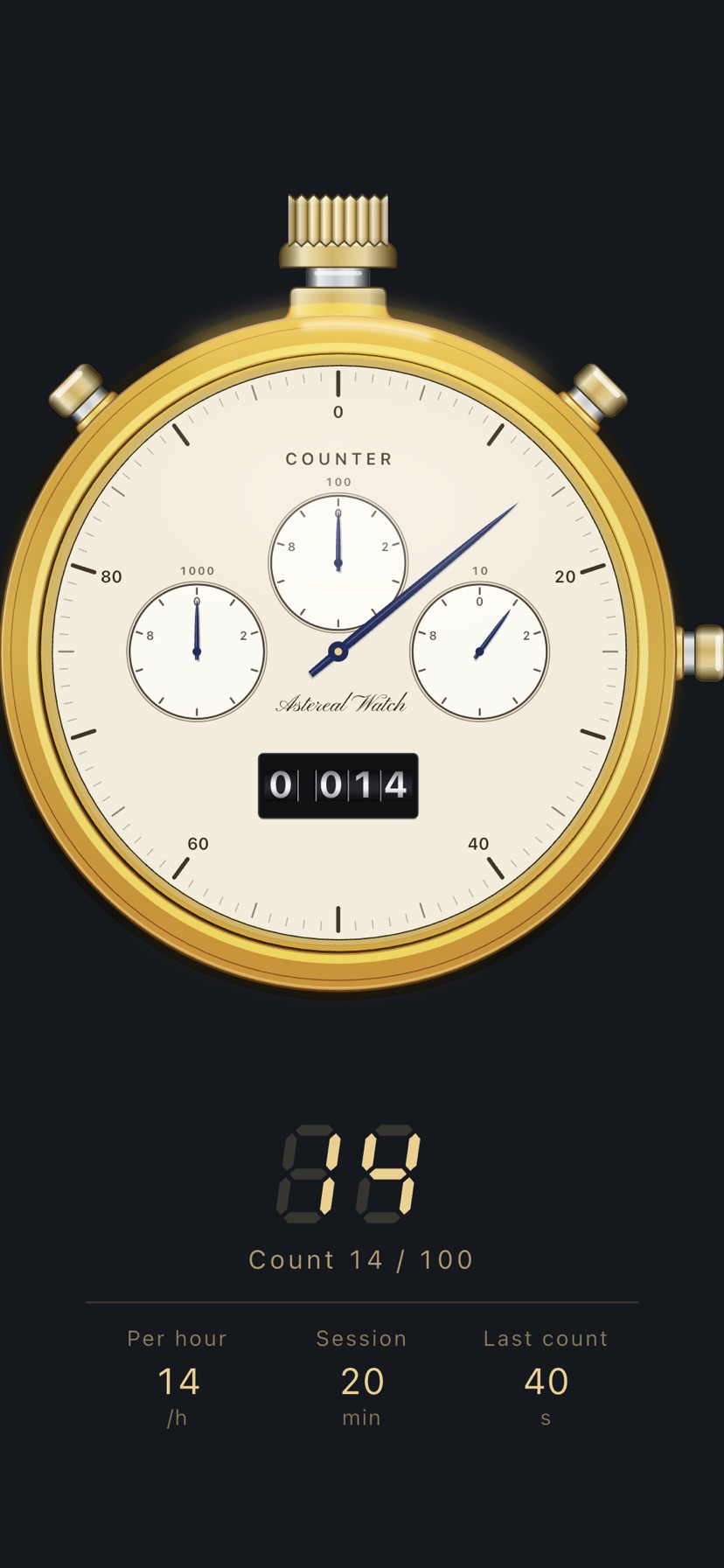
Counter
A hand tally counter. 11 subtracts, 1 adds, 3 resets. The four-digit drum really rolls, and after 9,999 it returns to 0.
iPhone only2. The panel beneath the watch
Swipe up on the empty space below the watch and it rises, leaving a panel of figures in its place. The dial is never covered, so you read the hands and the numbers together. Swipe down to close it. It opens on six instruments — astronomical, chronograph, world time, compass, and also the pedometer and counter. Those two keep your hand on the pushers while you count, so the figures come to you without turning the dial over.
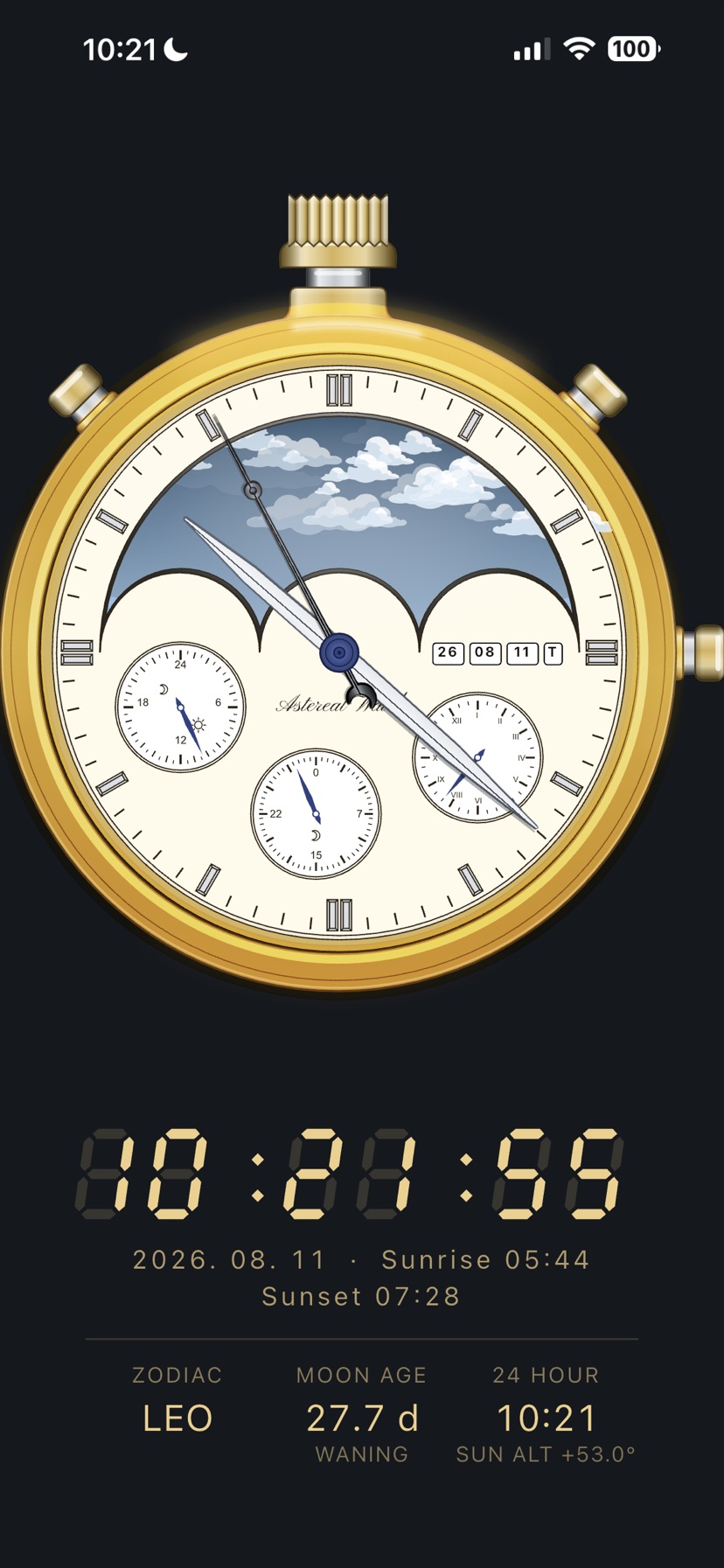
Astronomical
Time, date and today's sunrise and sunset. The row below carries the three sub-dials over as figures: zodiac, moon age, the 24-hour reading, and the sun's elevation.
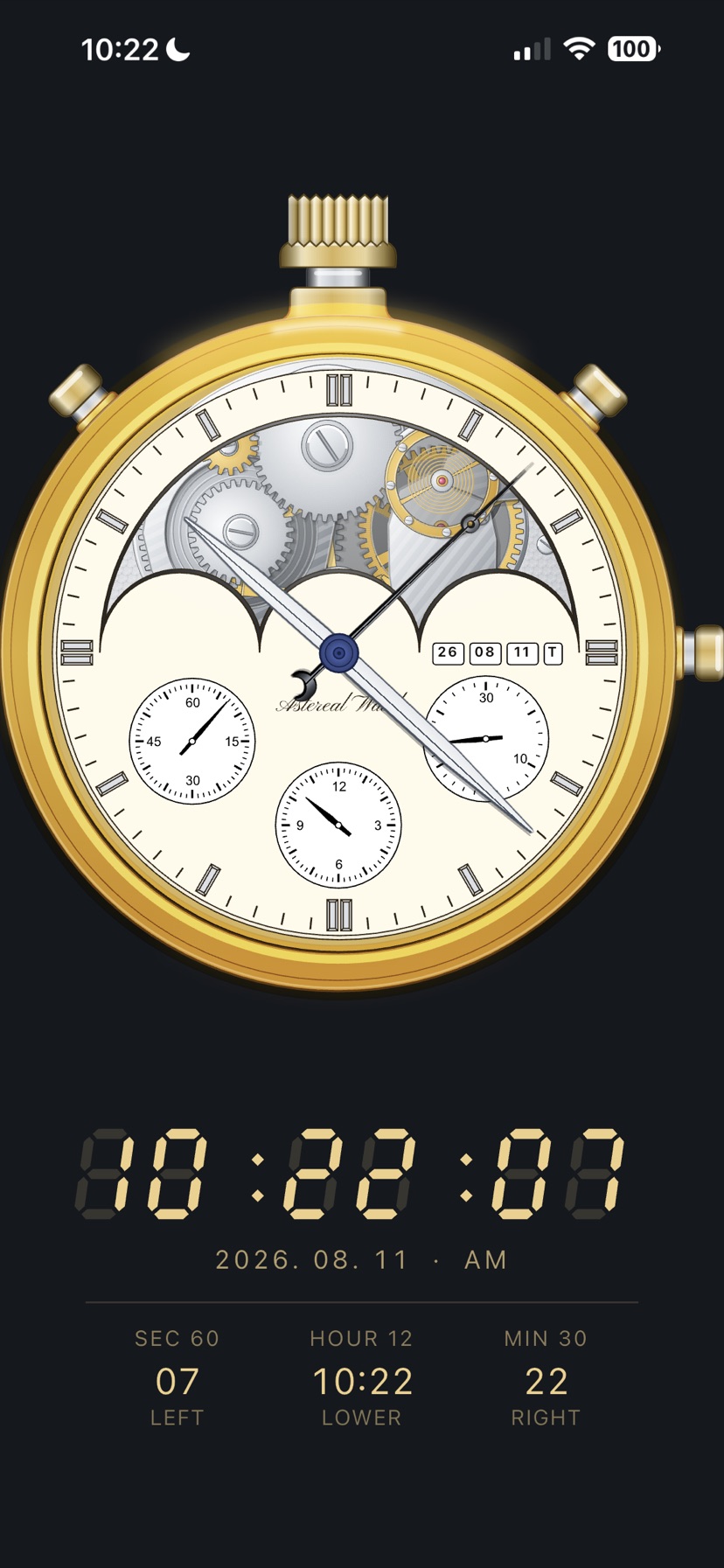
Chronograph
60 seconds on the left, 12 hours below, 30 minutes on the right. Each sub-dial has its own full turn, so the figures follow those scales exactly.
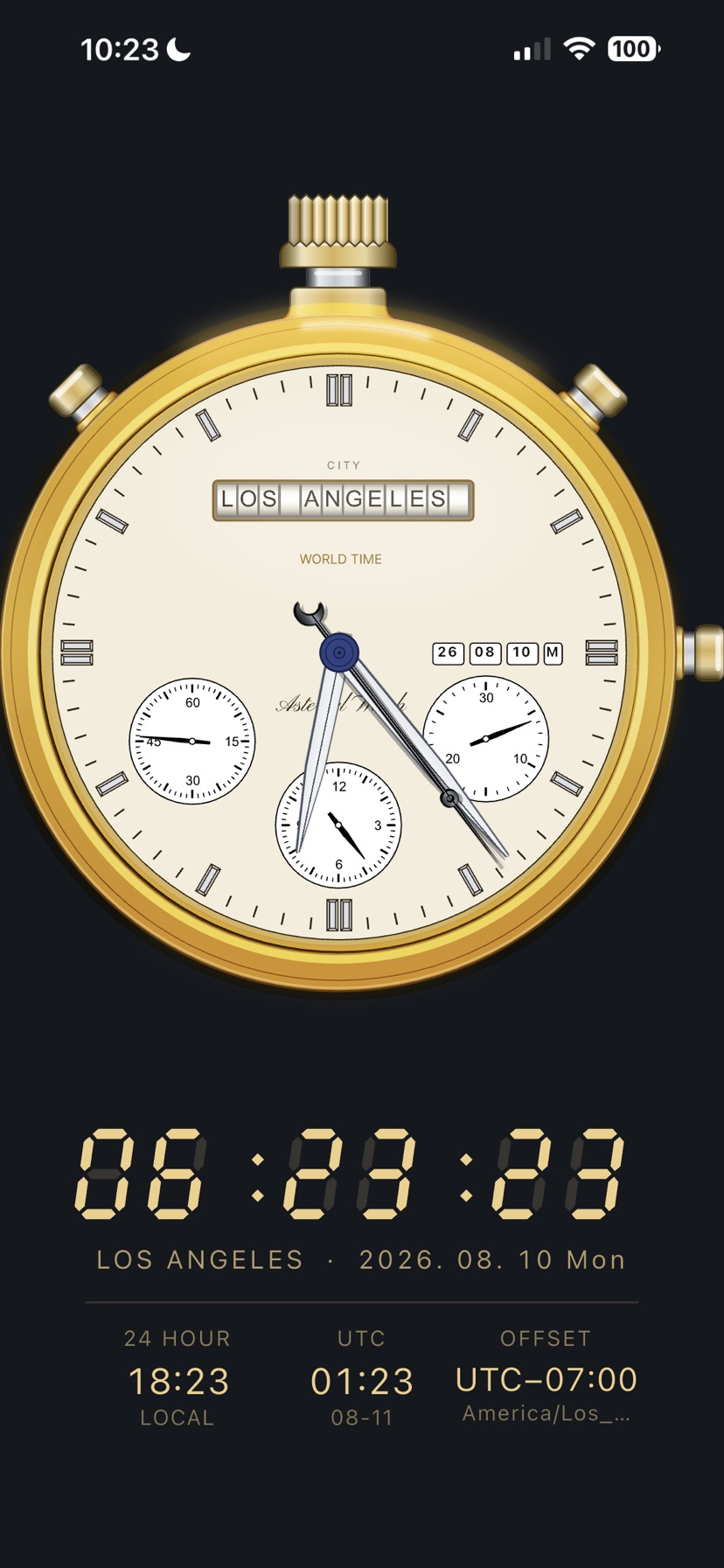
World Time
Local time, date and weekday for the chosen city, the 24-hour reading, UTC, the offset and the time-zone name.
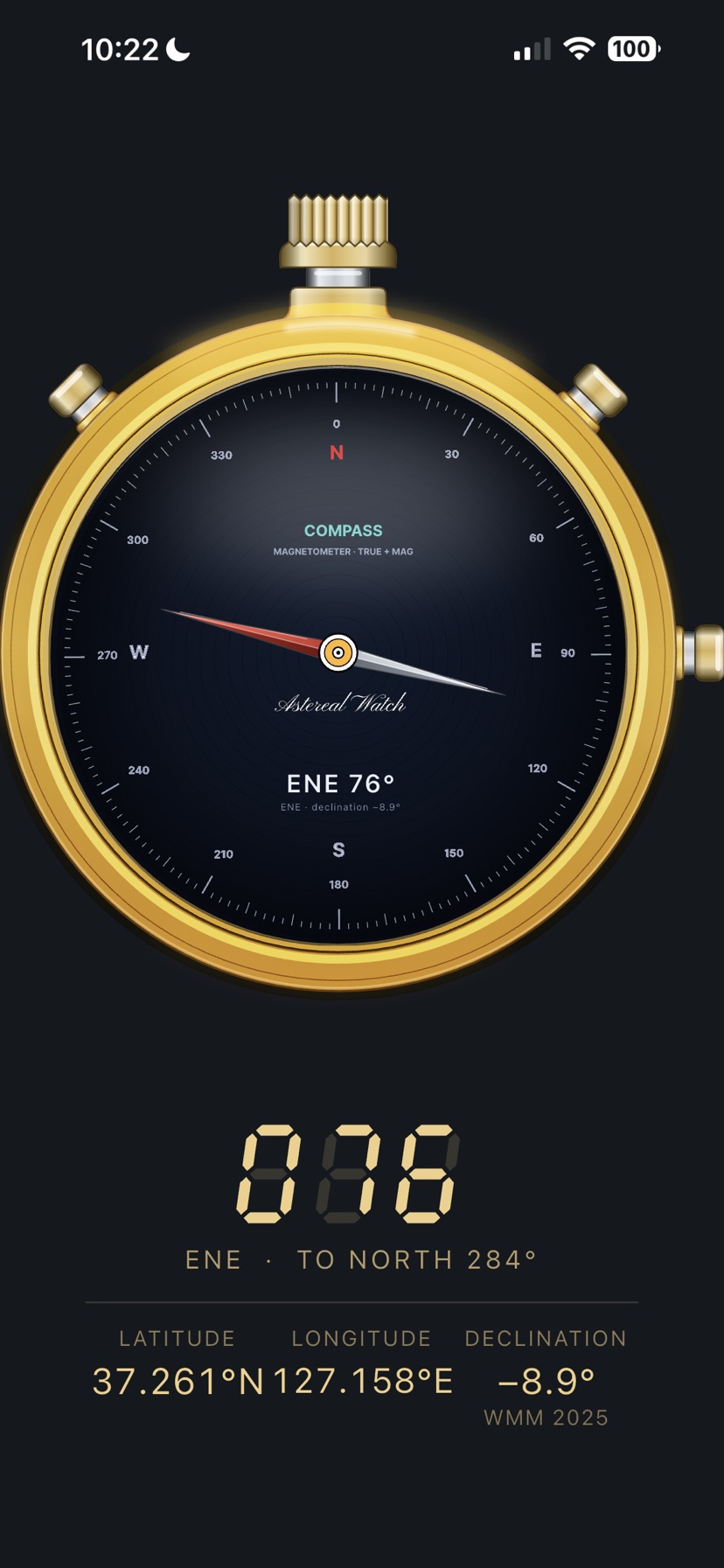
Compass
The large figure is the bearing you are facing. Below it, how many degrees round to north, and your latitude, longitude and declination.
3. Digital mode
Swipe left or right on the dial and the same instrument turns over to its digital face. These are drawn as their own screens, so they can carry graphs and tables that an analogue dial has no room for.
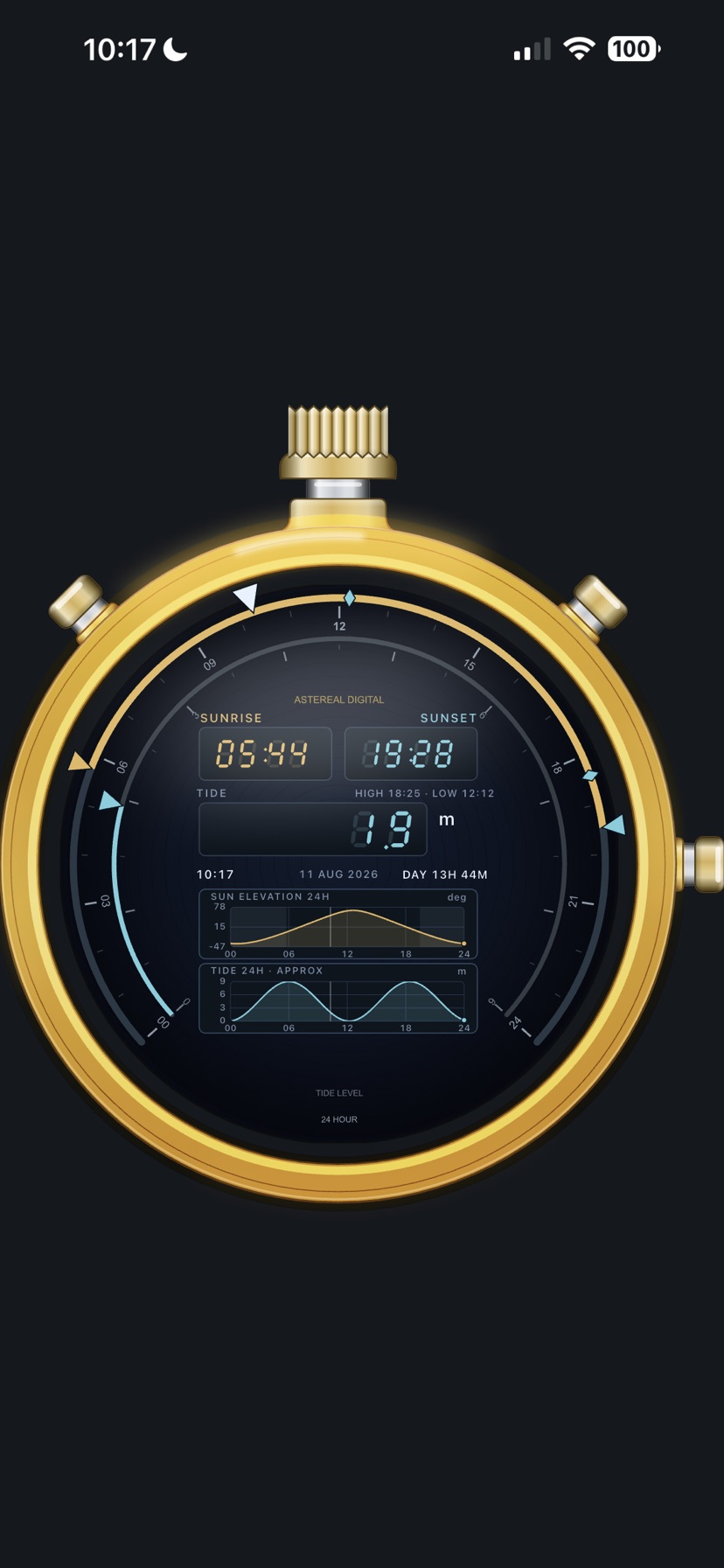
Sunrise & Sunset
Rise and set times, the length of the day, a 24-hour sun elevation graph and an approximate tide curve.
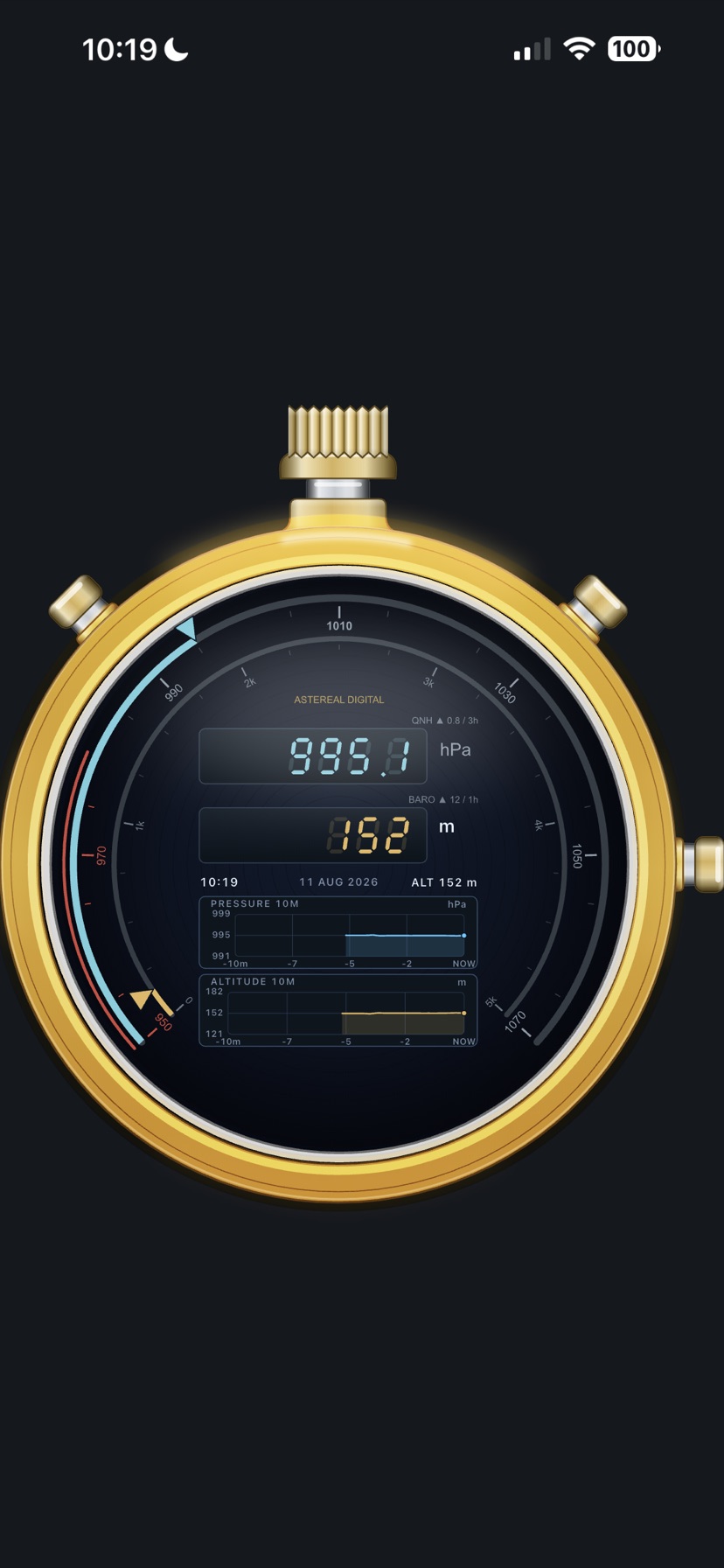
Barometer & Altimeter
Pressure and altitude in large figures, with bars tracing how the pressure has moved over the past hours.
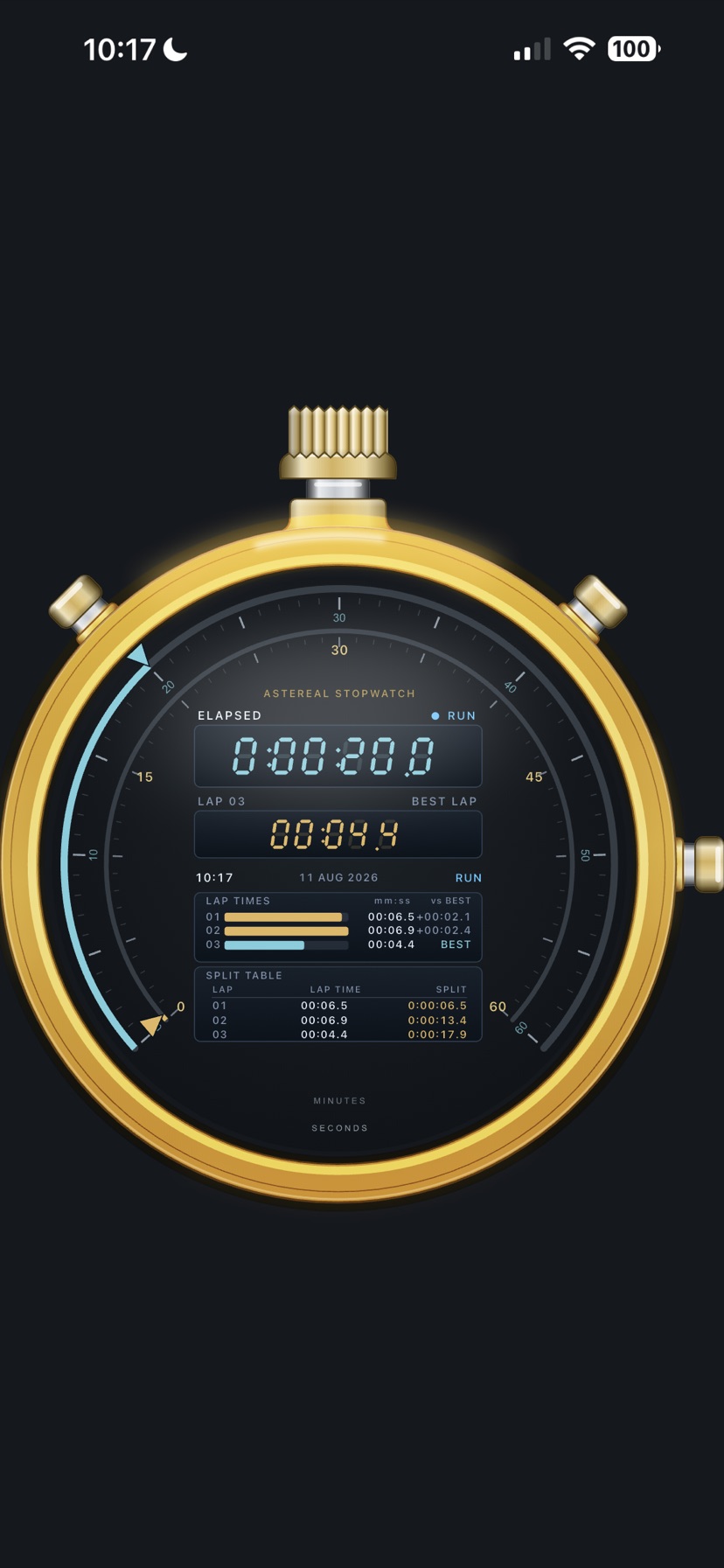
Stopwatch
Elapsed time and lap times in a table, with the best and worst laps marked.
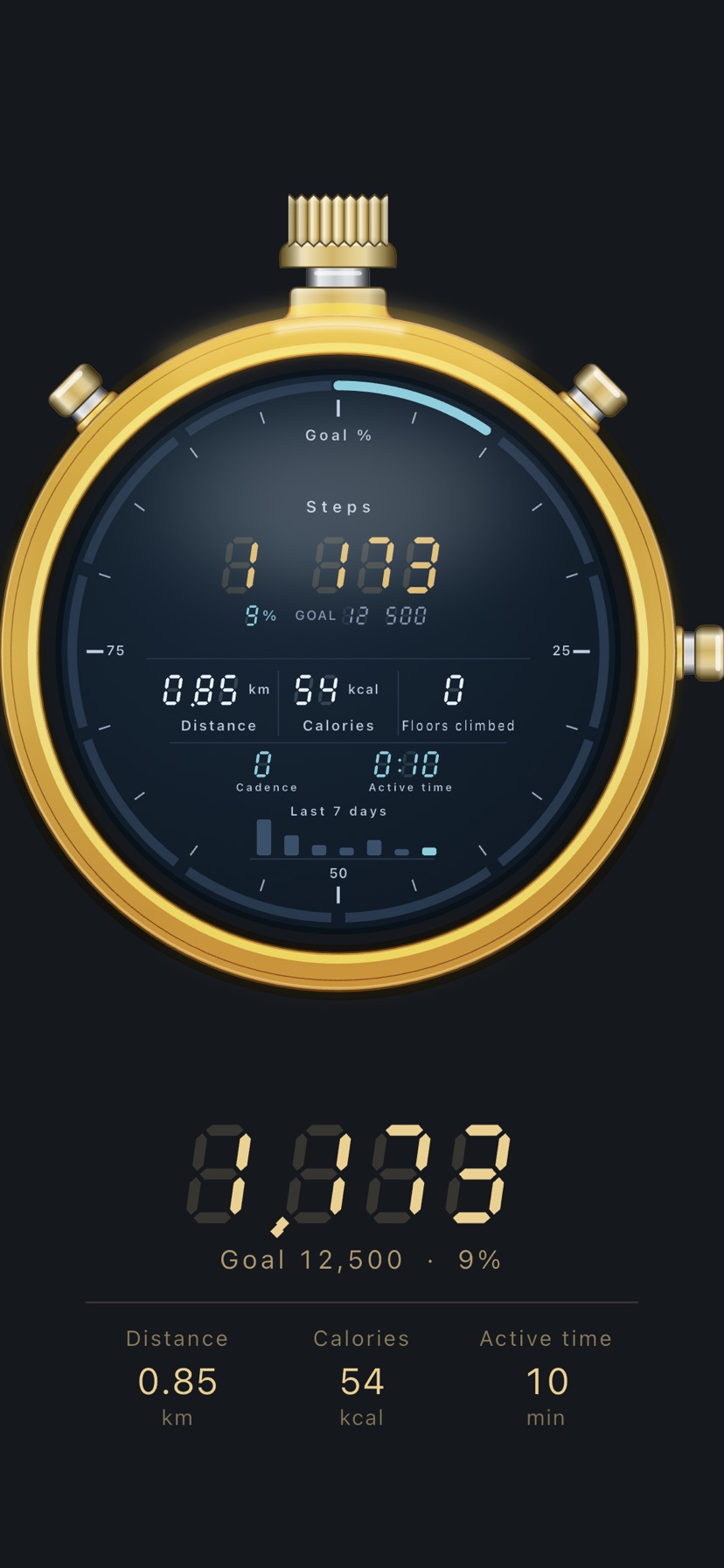
Pedometer
Steps and the share of your goal, distance, calories and floors climbed, cadence and active time. The last seven days sit underneath as bars.
iPhone only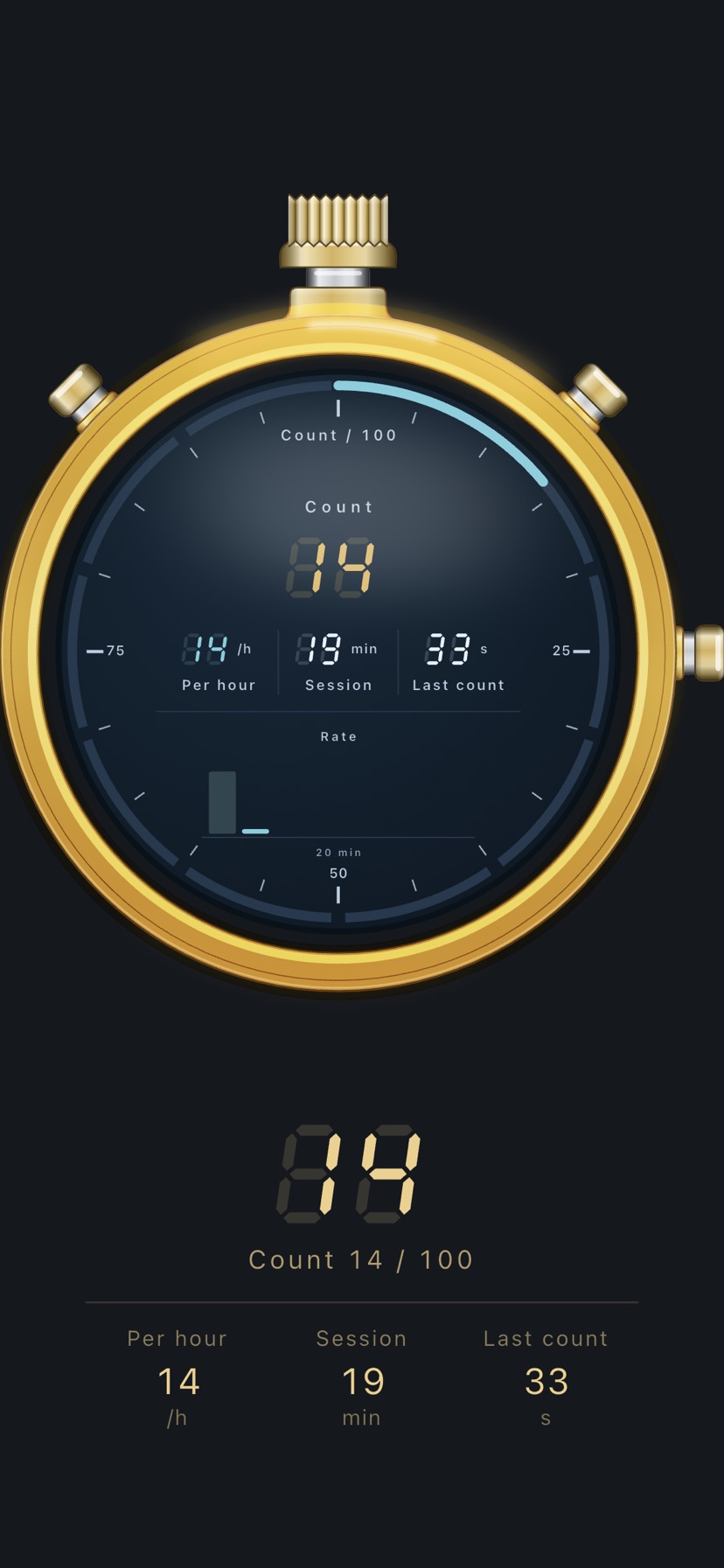
Counter
Counts per hour, how long this session has run, and the time since the last count. A bar is added every ten minutes; drag sideways to look back.
iPhone only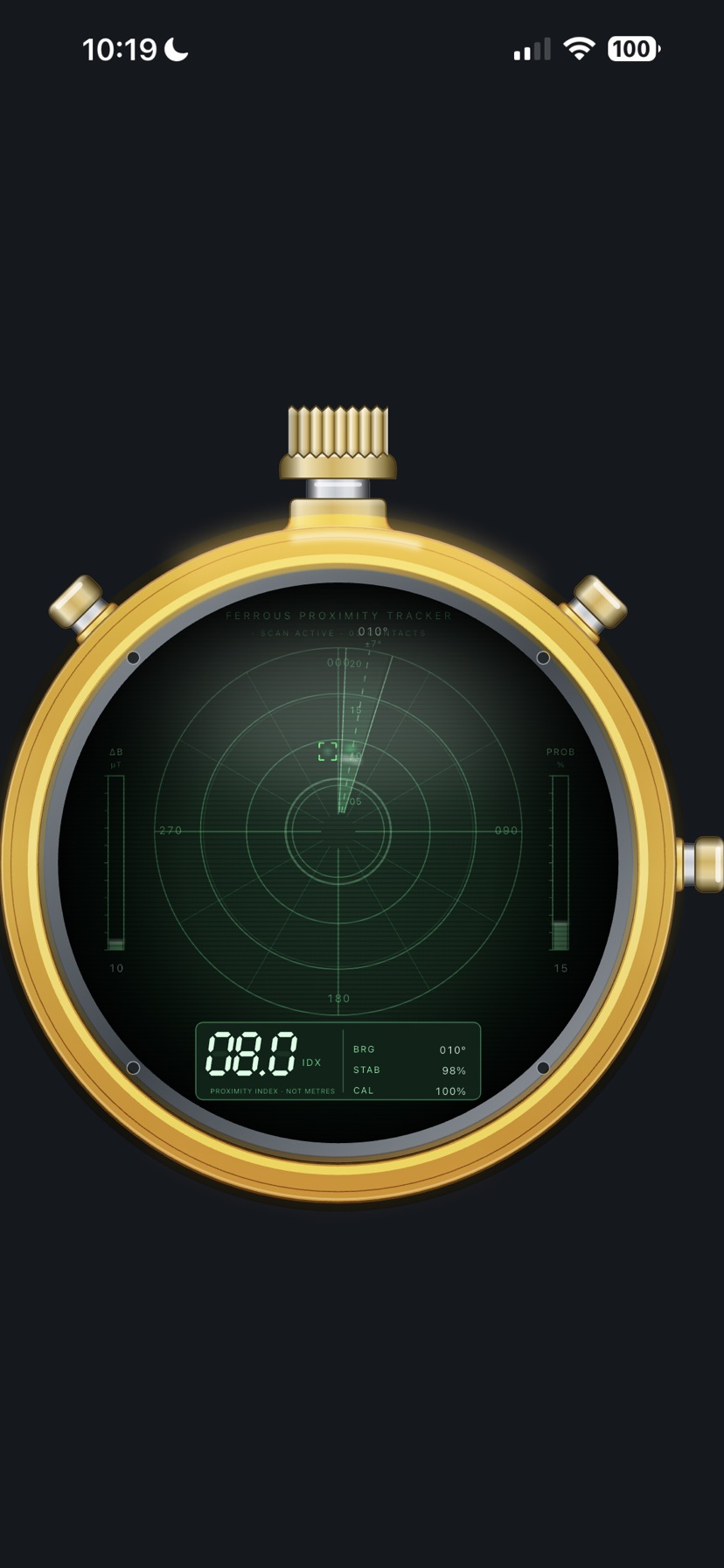
Metal Detector
A scope view of the magnetic anomaly. The figure is a proximity index, not a distance in metres.
Night face
Sunrise & Sunset has a third face between the analogue and digital ones. Each swipe cycles through all three.
Turn it sideways
The day's readings open out beside the watch
Graphic layout
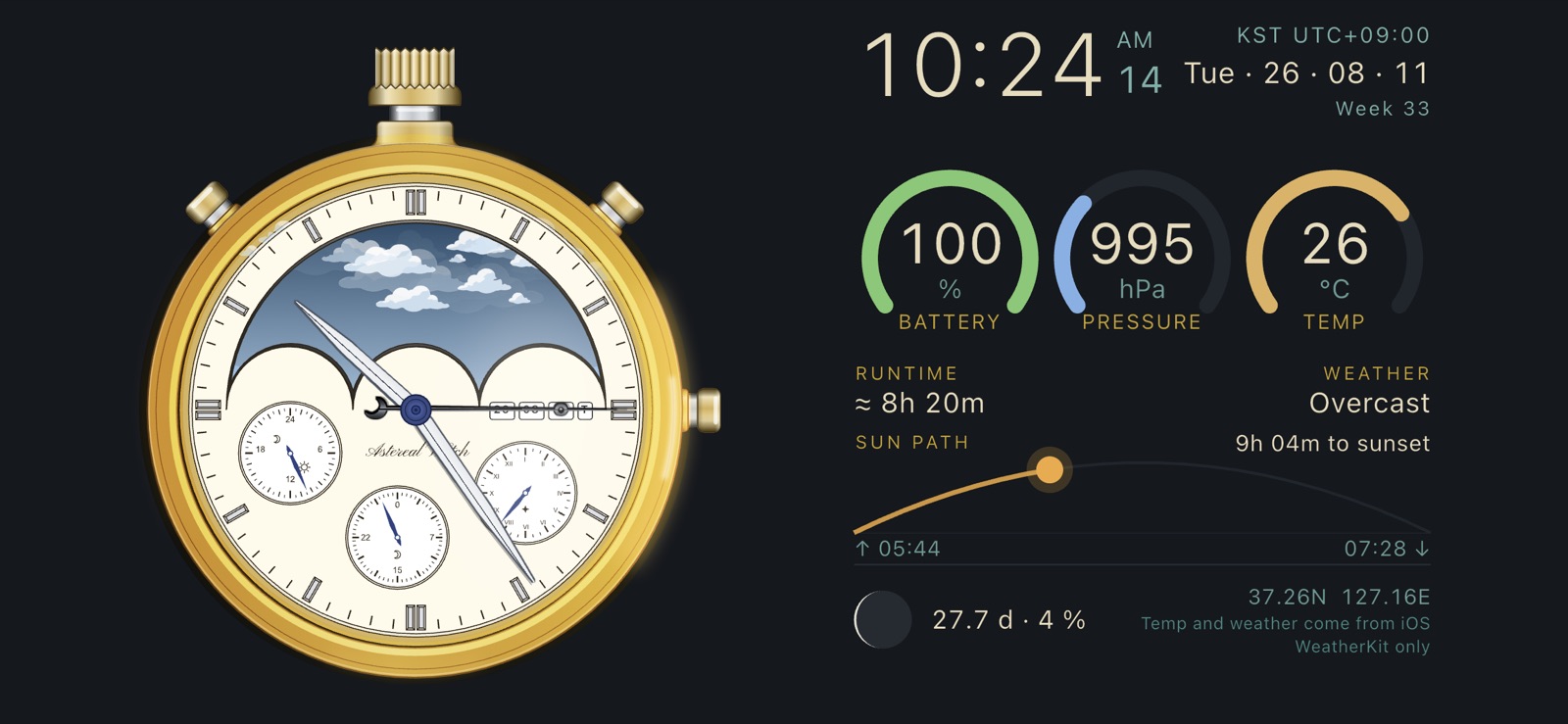
Battery, pressure and temperature read as gauge rings. Below them runs the path the sun takes across today's sky, with the rise and set times, how long is left until sunset, the age and phase of the moon, and your coordinates.
Beside the time sit the weekday and date, the week number and the time zone.
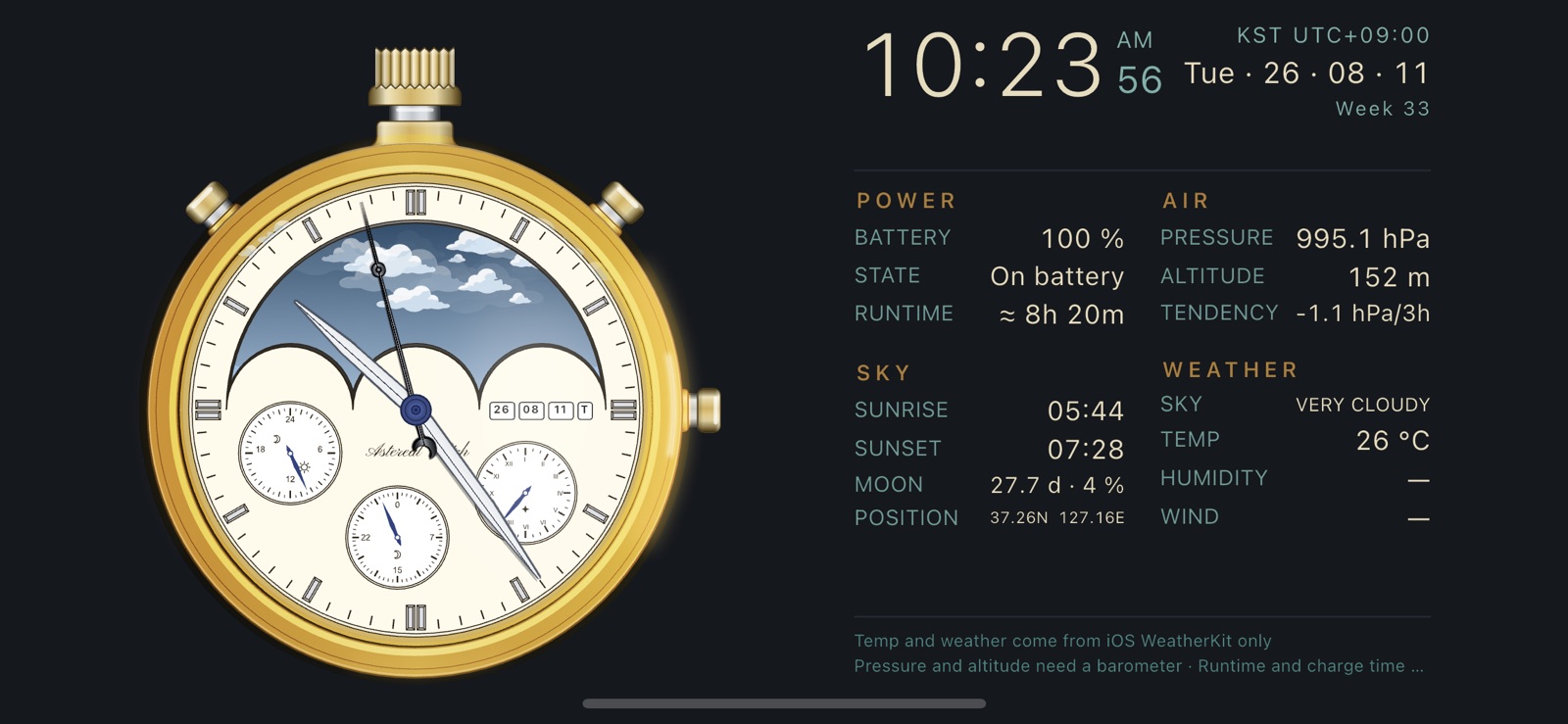
Table layout
The same readings set out as a table in four groups — power, air, sky and weather. It also carries what the graphic layout leaves out: altitude, the three-hour pressure tendency, humidity and wind.
Pick between the two under Settings › General › Landscape panel.
How it works
You handle it like a watch, not like an app
A guide opens the first time
It draws on the watch itself to show you where to touch. You can read it again any time under Settings › About › User guide.
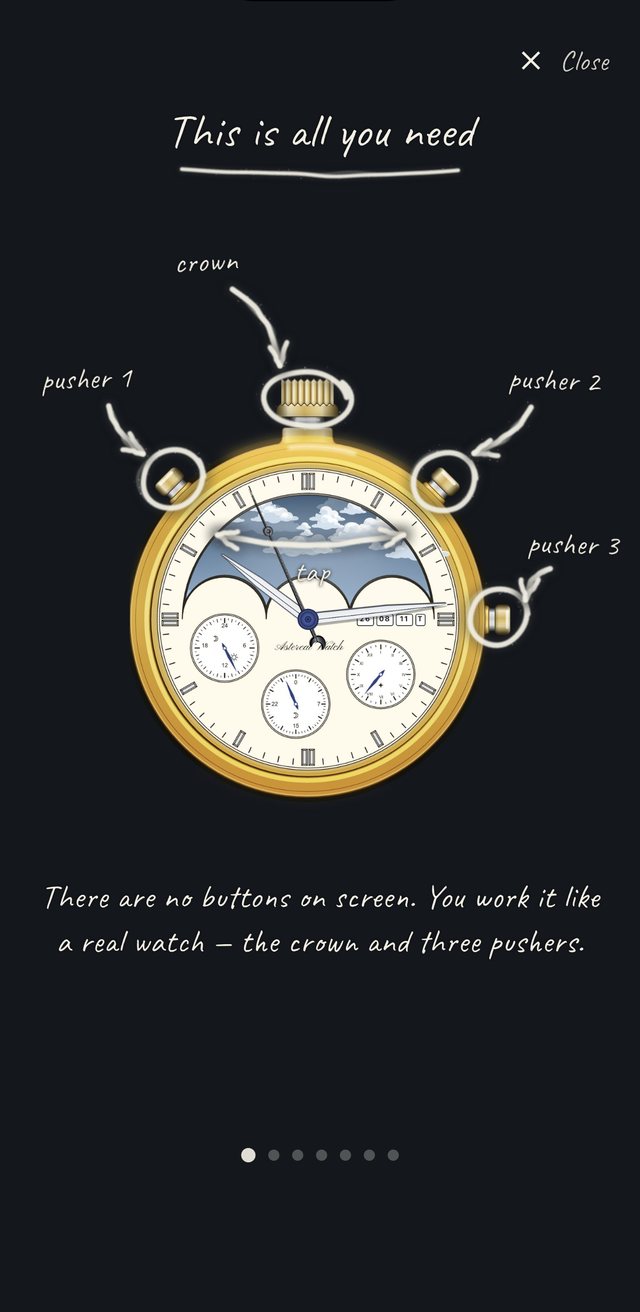
Four places to touch
One crown and three pushers. The arrow across the dial is where you tap to turn it into a digital face.
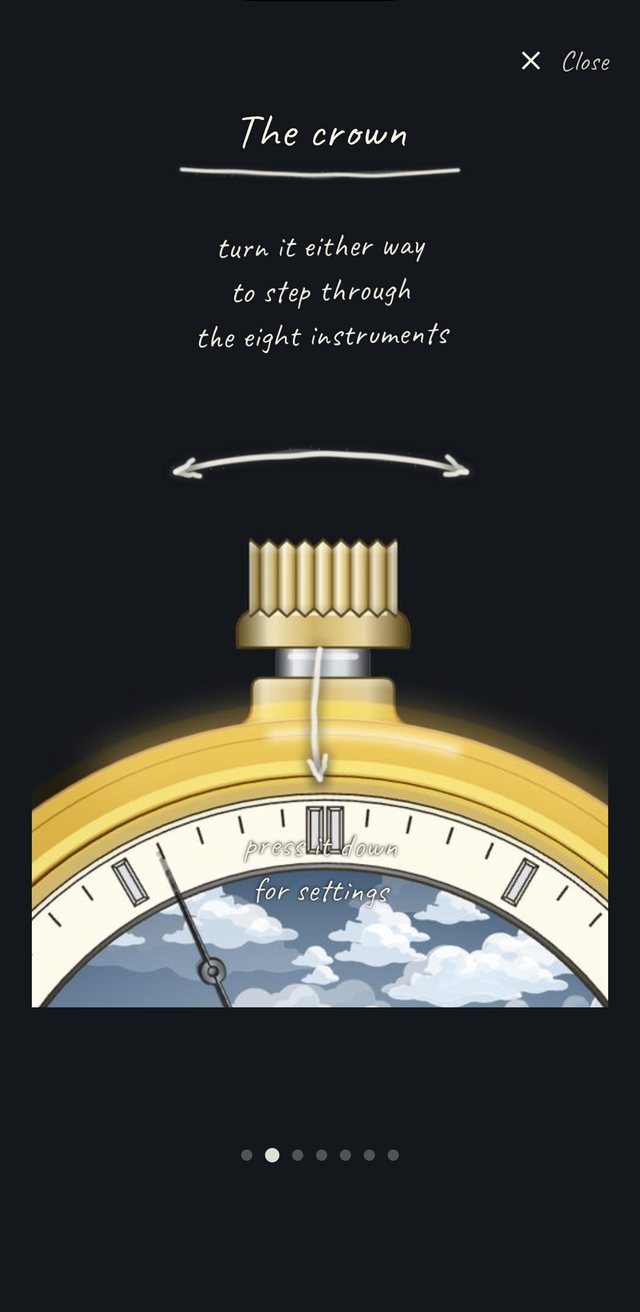
The crown
Turn it either way to change instrument; press it down for settings.
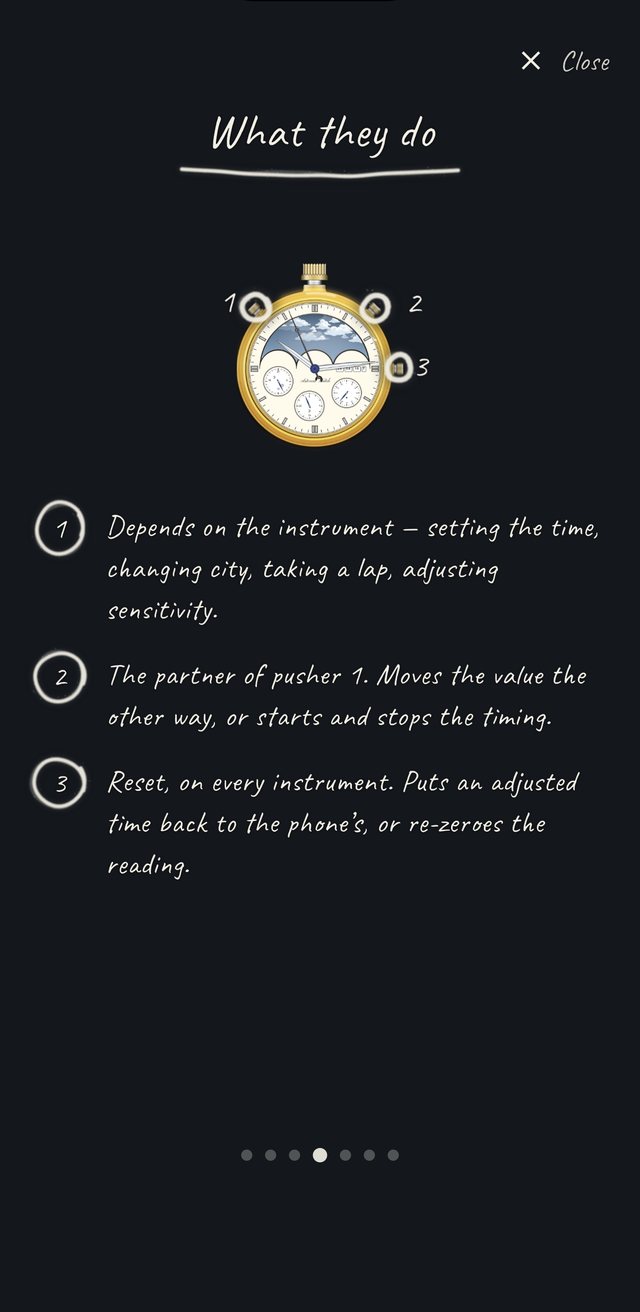
Pushers 1 · 2 · 3
11 and 1 o'clock differ by instrument; 3 o'clock is always reset.
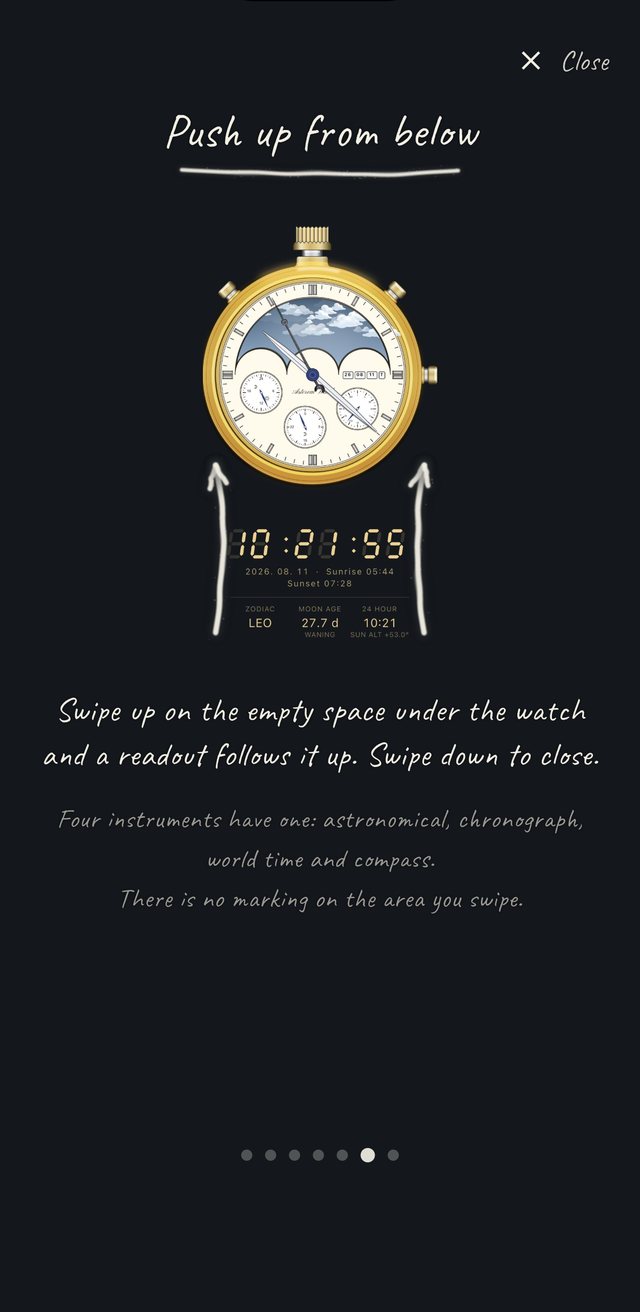
Up from below
Swipe up on the empty space under the watch. Nothing marks that area — which is why the guide points it out.
Every gesture
Ten of them, and that is the lot
Steps through the ten instruments.
Opens settings.
Different on each instrument: adjusting the time, stepping through cities, taking a lap, changing sensitivity.
Always reset. Puts an adjusted time back to the phone's clock, or re-zeroes the instrument.
Turns over to the digital face. Where there is only one face, the dial gives a little and springs back.
Raises the panel beneath the watch. Swipe down to close it.
Opens the landscape panel. Screen rotation has to be switched on.
Long-press the app icon on the home screen to open straight into an instrument.
Make it yours
What you can change in settings
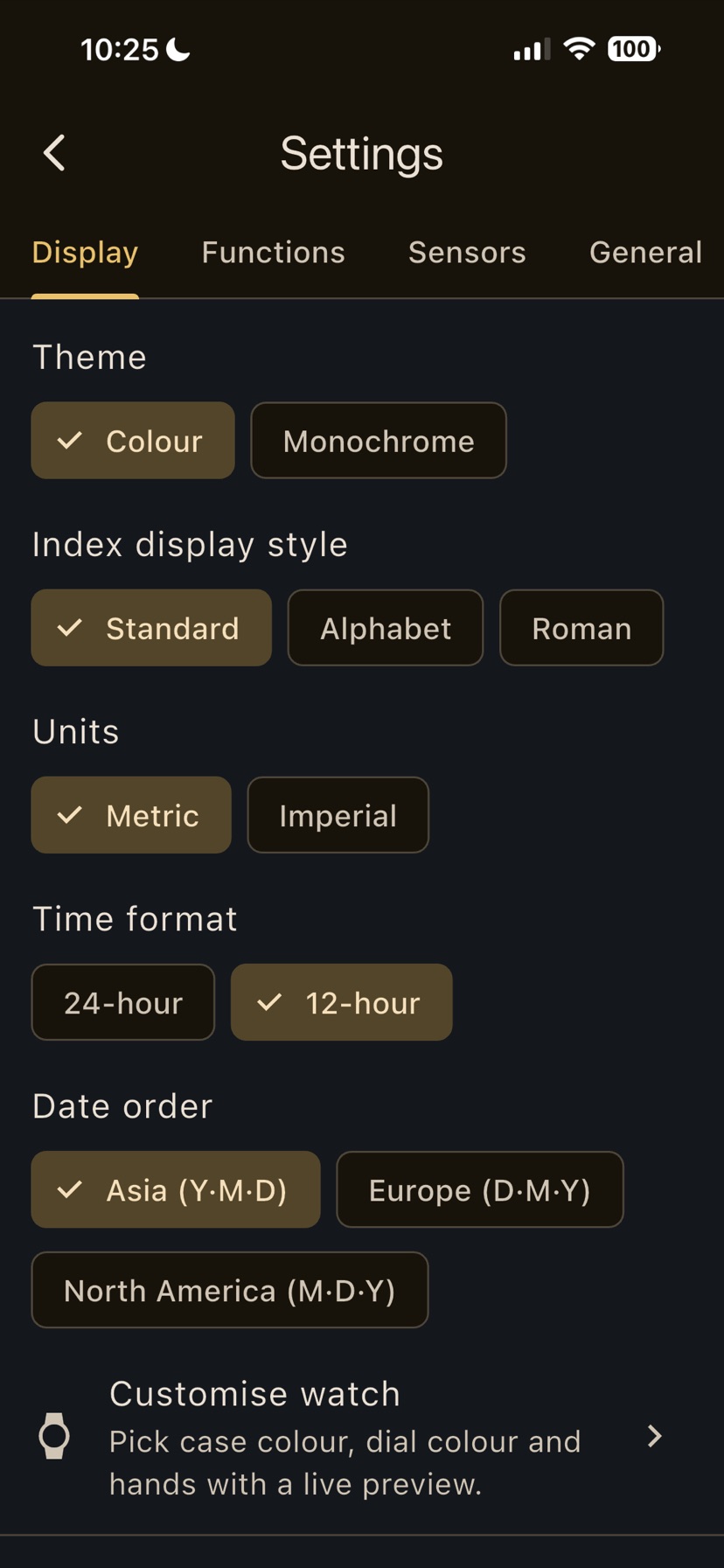
Display
Colour or monochrome, the index style (standard, alphabet or Roman), metric or imperial units, 12- or 24-hour time, and the date order. The date order starts out matched to where you are.
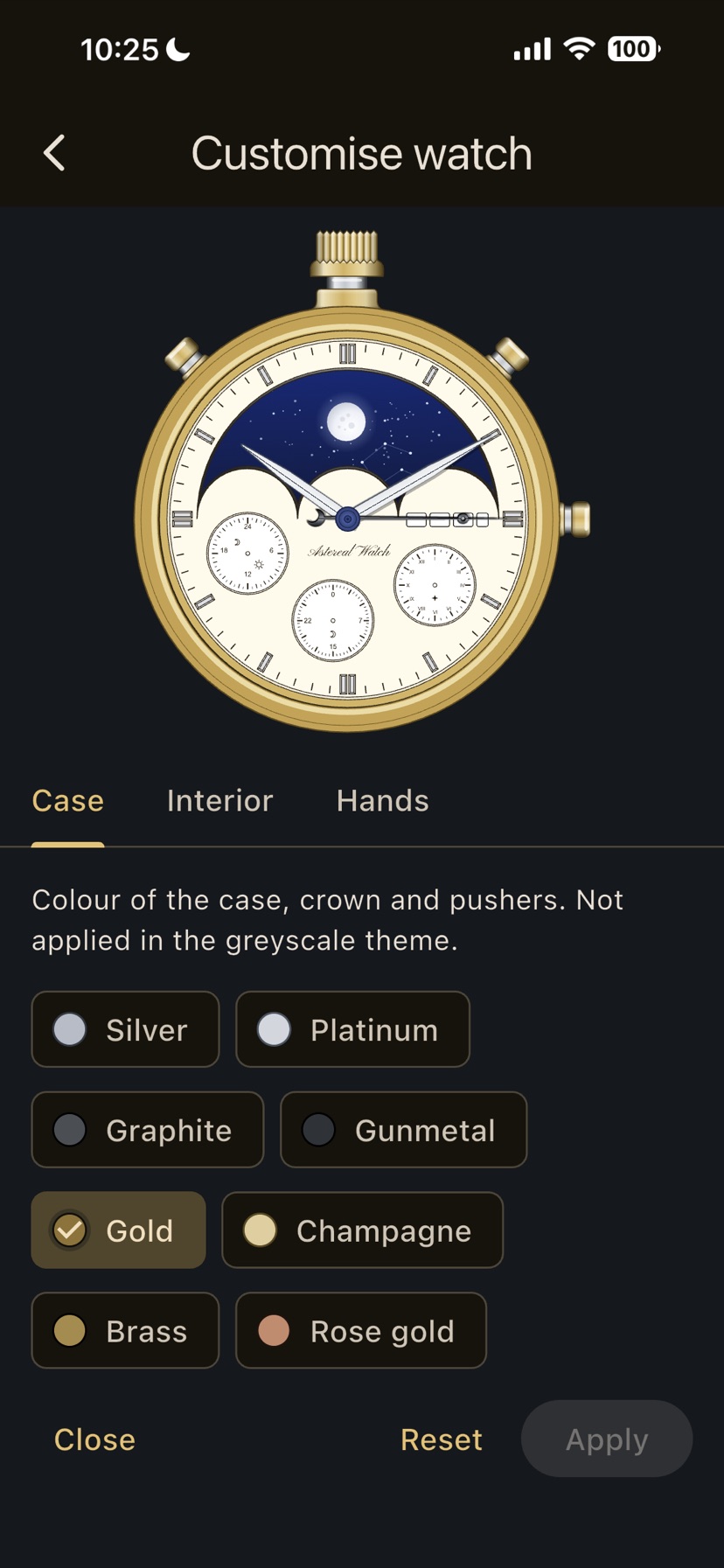
Customise watch
Pick the case colour, the dial colour and the hand shapes with a live preview. Twelve finishes: silver, platinum, graphite, gunmetal, gold, champagne, brass, rose gold, copper, navy, steel blue and teal.
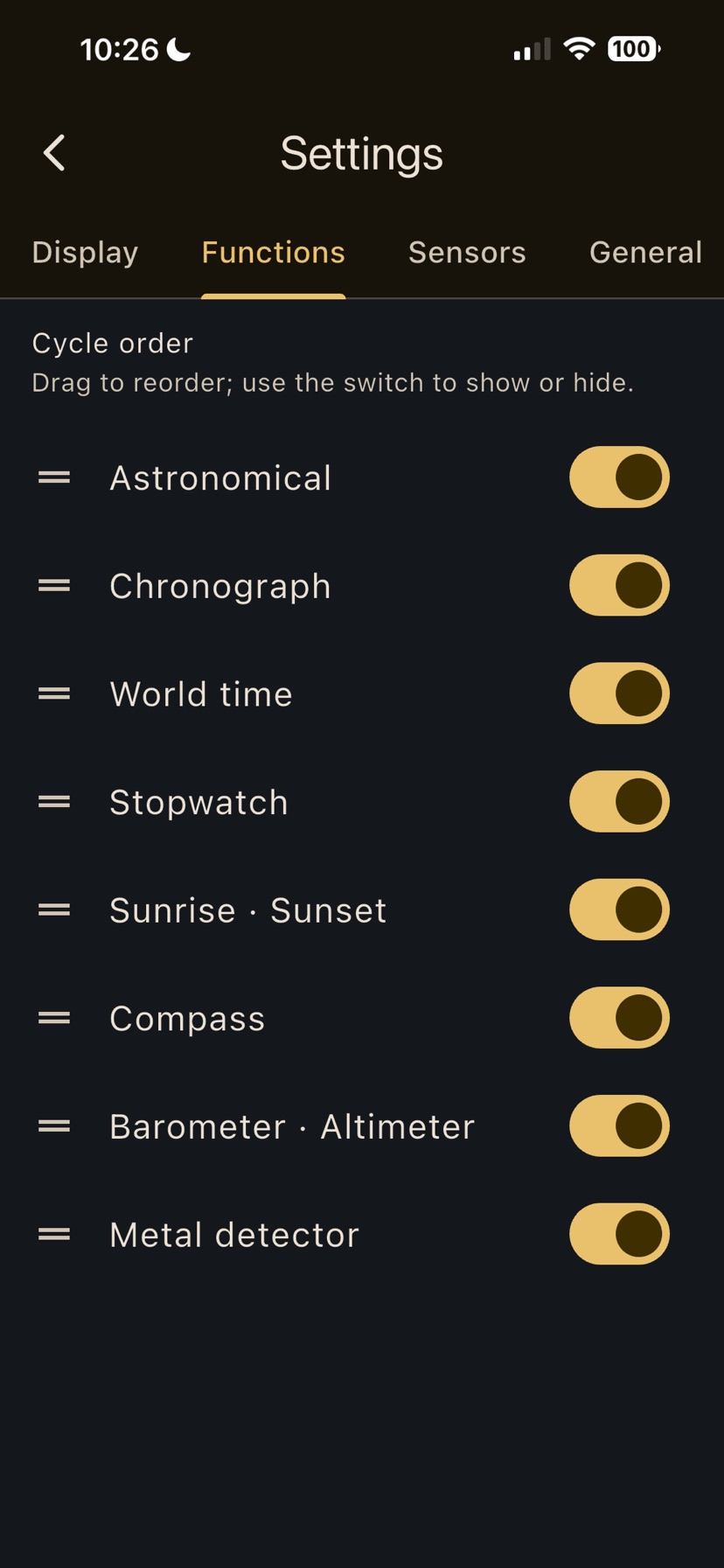
Functions
Drag to change the order the crown steps through, and switch off anything you do not use.
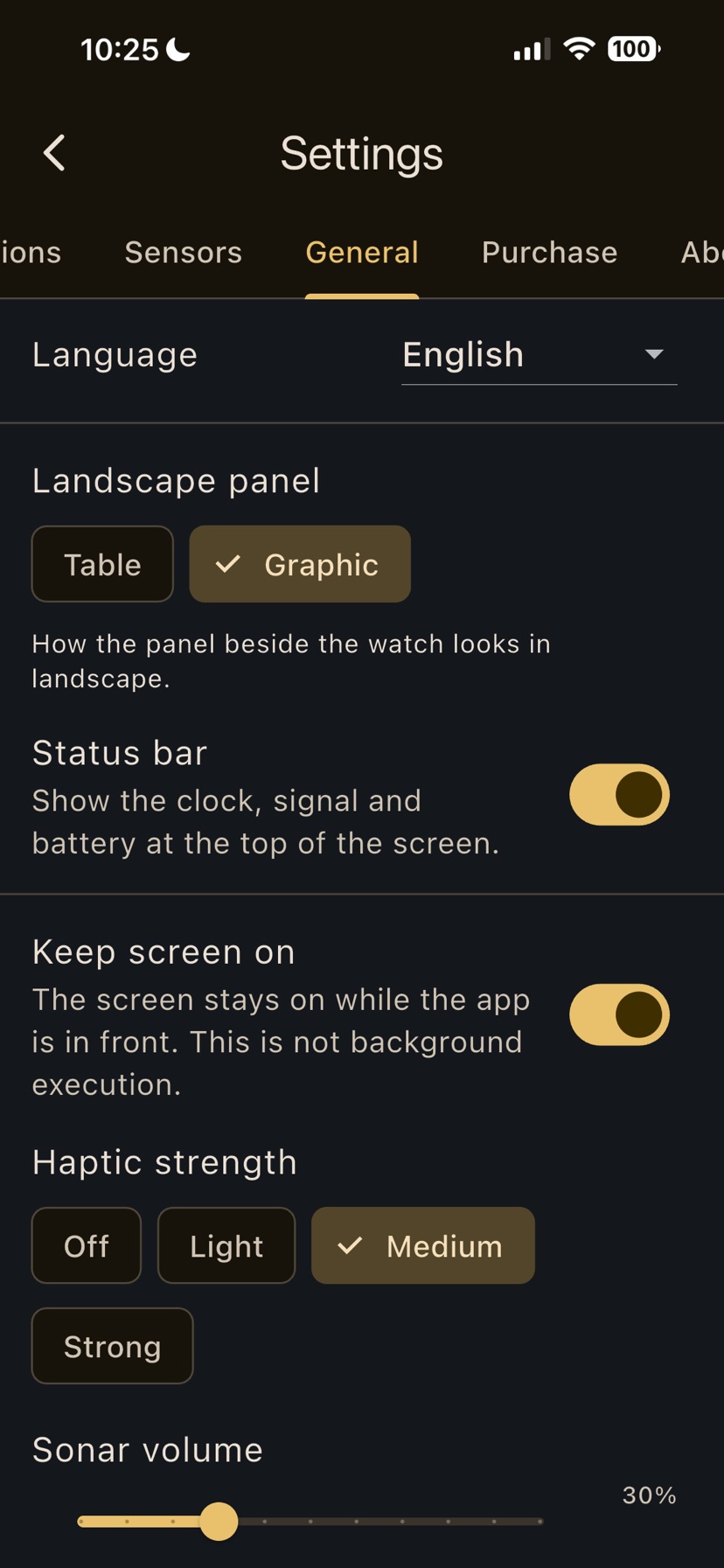
General
Language, the landscape panel layout, the status bar, keep-screen-on, haptic strength and sonar volume. Keep-screen-on lasts only while the app is in front; it is not background execution.
Landscape panel, table layout
A table instead of the graphic. Power, air, sky and weather are laid out row by row, which is quicker to scan.
Requirements
- iOS 16.0 or later · Android 8.0 (API 26) or later
- Compass and metal detector — magnetometer
- Barometer and altimeter — pressure sensor
- Sunrise, sunset and declination — location permission (optional)
- Every instrument still opens without its sensor
Privacy and offline use
- Basic instrument calculations stay on the device; the optional iOS weather feature sends coordinates to Apple WeatherKit
- Declination is computed from WMM 2025 coefficients bundled in the app
- The app does not run in the background
- 10 languages — 한국어 · English · 日本語 · 简体 · 繁體 · Deutsch · Français · Español · Italiano · Русский
- The barometer and altimeter only show readings on a device with a pressure sensor. Without one the dial still opens, with a single line of explanation beneath it.
- Temperature and weather come from Apple WeatherKit. On Android the device temperature (the battery's) is shown instead, which is not the outdoor temperature.
- The metal detector is not a radar. The figure on screen is a relative proximity index, not a distance in metres, and it must not be used to locate buried utilities or for any safety inspection.
- Do not rely on it for navigation, aviation, surveying or anything else where safety is at stake. It is a hobby instrument.
byeWatch
A pocket watch that is also an instrument panel